Tag: Review

  • Pebble Time: In hand and First impressions

    Pebble Time: In hand and First impressions

    I was one of the late backers of the Pebble Time smartwatch, and finally received it today. I backed it after the Apple watch event in early March and deciding that the first gen Apple watch was a bit too expensive for me. I also got lucky with the Pebble Kickstarter campaign and managed to switch my initial pledge of $169 to the early bird $159 when people had started backing out towards the end of the campaign.

    The shipment was delayed by nearly a month, but that’s not too bad by Kickstarter standards, and as I had opted for the expedited option with prepaid duties and taxes, I received my package within a week of dispatch. I did have to stay in regular touch with the DHL support, first for the KYC documents and then for the description letter to the customs team. There was also the currency goofup on the invoice with labels in EUR though the payments had been in USD. This was something many of the Indian backers who received their packages before me had observed on the campaign portal. Fortunately for me, the DHL team seems to have managed to sort out these issues with the customs to ensure that I received the package just a day later than their estimate.

    Anyway, coming to the Pebble Time, it is definitely quite lightweight and pretty comfortable to wear. The silicone strap seems quite comfortable as well and the material feels just like those silicone cupcake moulds and other similar kitchen accessories that one sees in stores. As for the display, it is fairly colourful, but a bit dim even with the backlight as many reviewers and users have observed. It is especially problematic in the current monsoon season with cloudy skies most of the time. That said, I’m sure app and watchface developers will start optimizing their products for the display in the coming months to improve readability. The double bezel is also on the thicker side by modern gadget standards, but haven’t found it to be very distracting so far. As for the coating on the steel frame, I suspect Pebble might be facing the same durability challenges as Apple did with the iPhone 5 black version, given the scratch reports from early users.

    I opted to pair the Pebble Time with my iPhone 5s instead of the Mi 4, and loaded a bunch of apps and watchfaces on it including the PebbUp watchfaces that I’d backed on Kickstarter. The notifications have been trickling in since the pairing as well and the vibration is fairly gentle. I’d already done some notification management on my iPhone, so haven’t been getting flooded thus far, and even cricket scores are showing up thanks to the ESPNCricinfo app alerts.

    I also did a full charge of the Pebble while installing the apps though it was well over 60% when I got it. It charged up pretty quick even from a laptop USB port. Also, no faulty cable.

    Some of the other things I’d like to test in the coming weeks are Android support and voice replies, fitness tracking (already installed some apps), usage at work (currently working from home with a broken arm) and of course the battery life. In the meantime, checkout the unboxing and initial setup photos below.

    This slideshow requires JavaScript.

  • The camera that’s taking over from my DSLR aka a year with the iPhone 5s

    The camera that’s taking over from my DSLR aka a year with the iPhone 5s

    I ended up with a broken screen on my beloved Nokia Lumia 720 over a year ago, and thus began my search for a new phone. After lots of deliberation and the delayed launch of the Lumia 930 with its mixed reviews, I ended up with a 16 GB gold iPhone 5s that had just received some price cuts thanks to the iPhone 6 launch. It’s been a very satisfying photo taking journey with the iPhone thus far barring some hiccups. It is a very versatile shooter that gives amazing results even in its auto mode. Then of course, there are the manual controls introduced in iOS 8 that hand over the reigns to the photographer. Plus the entire photography workflow from shooting to editing to publishing and backing up can be performed on the same device.

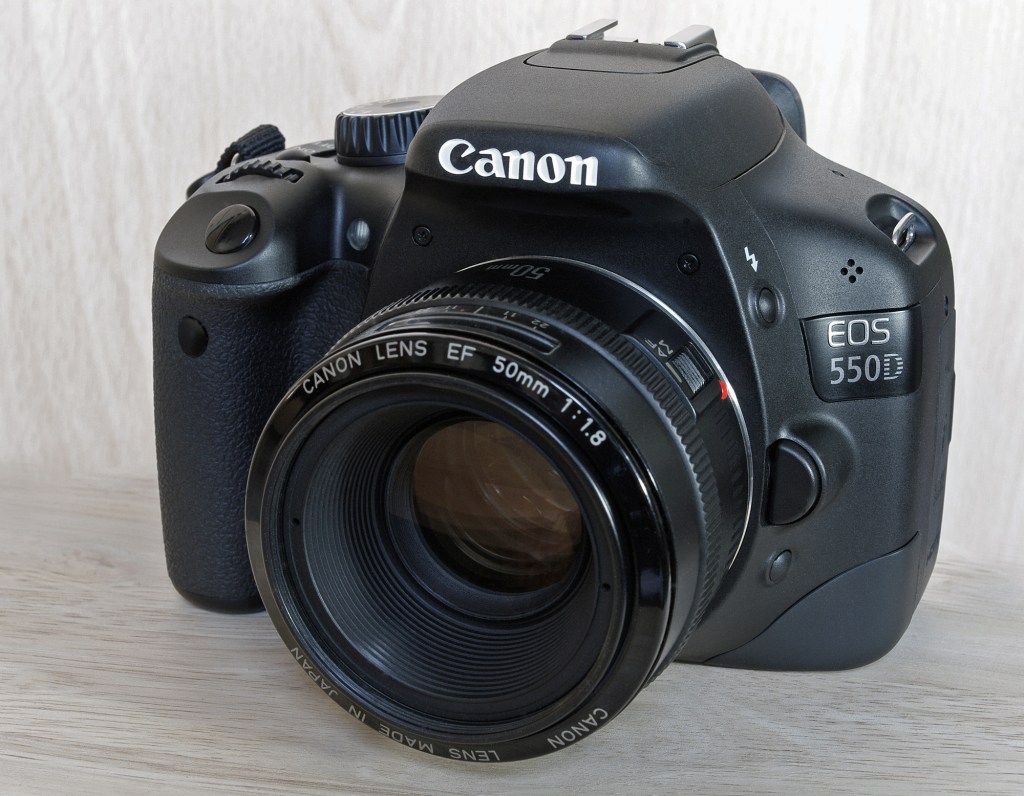
    The iPhone 5s has been my primary camera for nearly a year now, and there have been only a few occasions like stage shows that I’ve used my Canon EOS 550D. I carried the DSLR with the 15-85 mm lens on my Goa trip in March but hardly shot with it, and then altogether skipped it on my last trip to Kolkata. In fact, I’ve been giving away some of my DSLR accessories that I rarely use over the last few months.

    In terms of reliability, the iPhone series easily beats its Android counterparts as the camera app launches in a jiffy and the focusing speed and shooting latency are top notch. These parameters have been thoroughly tested in the last one year thanks to my daughter who’s 2 1/2 years old now.

    Processing and sharing photos is also a breeze with the numerous apps, and this is one part of the workflow that has been completed integrated with the photo taking effort unlike in a standalone DSLR. Then of course there are the automatic backups through iCloud, Dropbox, OneDrive, Google Photos, Flickr et al that ensures that the memories remain intact. It’s only natural that Microsoft and Google are trying to automate the album creation and tagging process on their photo storage services given the huge volumes we’re shooting.

    The only fly in the ointment has been the storage space as 12 GB of usable is barely enough to hold all the photos after you’ve loaded a few apps. Then of course there are the videos which are all full HD and pretty enormous in size. I’ve managed to make do thanks to the iCloud photo library introduced in iOS 8 that automatically backs up and removes old photos from the device. In fact, I have gone beyond the 5 GB free tier and upgraded to the 20 GB one.

    Then of course there’s the loss of variable focal lengths and being stuck with a wide angle lens. I do have a personal preference of shooting medium telephoto lengths with the 50 mm prime being my DSLR favourite. Cropping manages to take care of some of these issues when the lighting is good, and I like to think of the iPhone 5s as a camera with a wide angle prime lens.

    When it comes down to image quality, I’ve found it good enough compared to my DSLR except in very low light situations. The focus speed can be a bit slow compared to the DSLR as well and this is one aspect that’s been upgraded in the iPhone 6\6+. Video quality is of course superb and the electronic stabilization makes a real difference, but the storage space gets in the way for longer videos.

    There are of course other features like slo-mo 120 fps videos that are just not possible on the DSLR, and shooting time lapses or hyperlapses is a breeze compared to the elaborate setup required with the DSLR.

    So, do you want to buy a DSLR? Please don’t – just get an iPhone (or even one of the Android flagships like LG G3\G4 or Galaxy S6)

  • Mi 4: 2 month usage review

    Mi 4: 2 month usage review

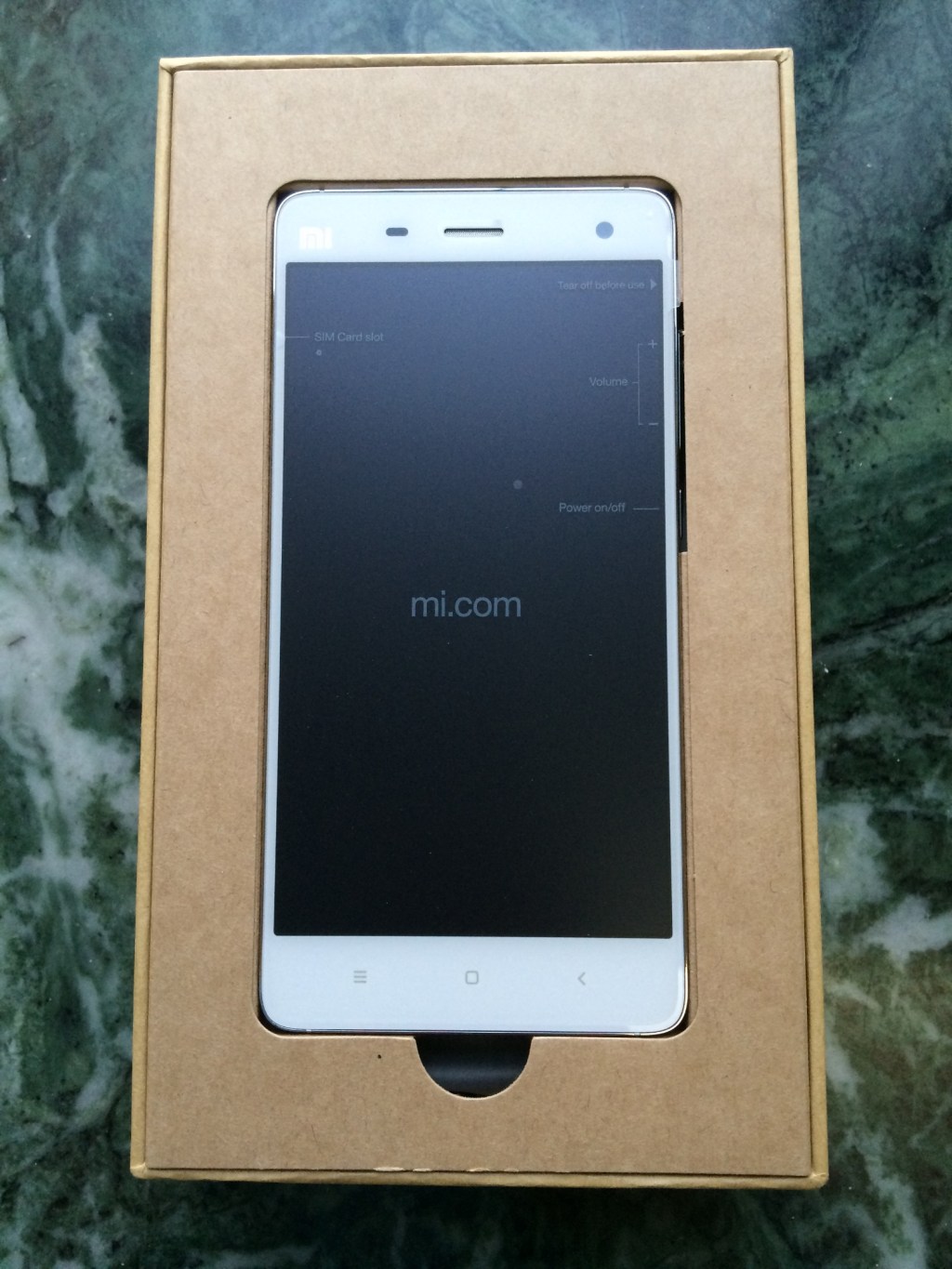
    Xiaomi Mi 4 unboxed
    Xiaomi Mi 4 unboxing

    I finally replaced my Galaxy S3 in April after almost 3 years of service. It had begun to show signs of aging for a while, and I had managed to extend its usability for a few months by flashing Cyanogenmod on it last year. The gadetitis relapse hit me in March this year and I began scouting for my next Android phone in March. After lots of debate, it boiled down to the 64 GB versions OnePlus One and the Xiaomi Mi 4, and the Mi fan festival ensured that price was not going to be a factor when choosing between the two. In the end, the smaller form factor and IR port of the Mi 4 won and I even ended up renewing my Flipkart First subscription to get the phone in a day.

    In terms of build quality, the Mi 4 has a very premium feel to it with its steel frame and from the front it has a striking resemblance to the iPhone 5\5s. The back though is a lot more mundane plastic, but there is a faint pattern visible under direct lighting. When it comes to the specs, it is pretty much a Nexus 5 in a prettier package. While it is missing NFC, it does have an IR port that can let you control TVs, ACs etc.

    The camera, while pretty decent, pales in comparison to the iPhone 5s that I also own. Colours can turn out a bit oversaturated in shots and the video stabilization has its own issues resulting in jitters if you pan around quickly with shaky hands. I also discovered that the Carousel app from Dropbox can prevent you from shooting videos if you enable the camera overlay option in that app. I missed quite a few video opportunities before I was finally resolved the issue.

    The on board storage of 64 GB for the price is the real icing on the cake, and this makes a difference over SD card slots when you have a huge library of games like I do thanks to the Humble Mobile Bundle sales. The 2014 flagship class specs comprising of a full HD display powered by the SnapDragon 801 ensure that games fly on the device. It is definitely a lot faster than my iPad mini that’s based on the aging A5 platform. I haven’t faced any heating issues with the phone so far, and the only time it heats up is when the signal is weak or while charging a severely depleted battery.

    On the software front, MIUI also adds a touch of iOS-ness to the usability with some of its design philosophies and then some. Though it’s based on KitKat (without ART support at that), there are also a lot of thoughtful additions that MIUI brings that has kept me from switching to the Google launcher and making Google Now a first citizen. Lack of Lollipop is a bit of a downer, but ART brings its own set of compatibility issues with many games, and I’m quite happy with the phone’s performance and usability for the time being.

    The missing NFC hasn’t bothered me much so far, and it was a rarely used feature of my Galaxy S3 as well. However, with Android Pay around the corner, NFC is bound to become a must have feature. That said, it will be at least a year or two before there’s any significant penetration of the service, and that always leaves room for a phone upgrade.

    Battery life has also been quite good for me and it easily lasts a day even with some gaming and maps usage. During days of lighter usage, it even manages to stretch to 2 days. In fact, it easily beats my iPhone 5s in the battery life department and I can rely on it to get me through a busy day unlike the iPhone. Overnight discharge is also minimal – around 5-6%, while charging is also quite fast and I can get through a day by charging the phone for an hour in the morning.

    Overall, I’m quite happy with the phone and don’t find any compromise or downgrade unlike some of my earlier purchases. It represents one of the best value devices on the market currently, though the Mi 4i is arguably better value if you’re not too fussed about metallic builds and IR ports.

  • From Piku to Dil Dhadakne Do

    I ended up watching quite a few movies over the last 2 weeks starting from Piku and then doing Bombay Velvet and Tanu weds Manu returns in one day, and ending with the first day last show of Dil Dhadakne Do yesterday. 4 in 1 post coming up:

    Piku

    Shhojit Sircar’s latest creation puts Bongs front and centre in the character list with superb performances. It made me feel both conservative due to Piku & her father’s philosophies that did not echo with me, and nostalgic with the ancient family mansion that I could really relate to. Watching it in Kolkata also helped set the atmosphere. Moving on to the tech:

    • The first meeting room scene with Lenovo laptops raised some hopes of making the movie less fruity, but that turned out to be the only non-Apple spot
    • Wonder why Piku had an ancient iMac at work when she was using a MacBook most of the time…
    • iPhones galore in the movie, and I’m pretty certain that Deepika Padukone is an iPhone user given the way she used the volume keys to click a shot on the move
    • Also found it interesting that they did away with the front seat head rests in the Innova in the Delhi-Kolkata stretch, only to have them come back on the return trip

    Bombay Velvet

    Enjoyed the movie more than I expected and it was in some ways a documentary for how Bombay evolved into its current state. Pretty good job by the creators with the retro setting except for the cage fight portions which felt out of place. Also marked Karan Johar’s proper screen debut after his small part in DDLJ.

    The “Smoking kills” displayed throughout the movie should’ve probably been replaced with “Smokers kill” given the trigger happy hero. I also suspect a spike in the search for performances of a certain Rosie in Goa after the release of the movie.

    Tanu weds Manu returns

    Watched this right after Bombay Velvet on the same day, and I ended up enjoying it even more than Piku. If the first part was a surprise hit, then the second was an even bigger surprise. Not much to say here other than appreciate the performances all around.

    Dil Dhadakne Do

    Watched the 10:30 pm show and enjoyed it as much as the other movies even though it was nearly 2:45 hours long. Pretty enjoyable movie with the typical Zoya-Farhan Akhtar touch of silent moments that speak tons. Not quite in the league to Zindagi Na Milegi Dobara in my books, but the key conflicts are quite relatable though they happen to the rich and famous. However, this movie pretty much showcases how far we’ve come since the days movies focused on Indian poverty, and anyone watching this movie would think that Indians are globe trotting Apple fanboys. And that brings me to the tech:

    • Another ancient, but large screen iMac being used by Kabir at home. Guess the rich and famous don’t always live on the edge of tech.
    • Ayesha makes a good impression as a budding entrepreneur with her simple encased smartphone, but right after that we are treated to a travel site office that’s almost entirely based on iMacs. A design firm with iMacs I could’ve digested, but this was a bit too much. Then again, I’ve not visited any travel site office.
    • Then of course there’s a sort of laptop class barrier on the cruise ship with the really rich separated from the not so rich in the form of MacBooks and PCs.
    • Sunny (Farhan Akhtar) choosing to use a mirrorless over a DSLR and the absence of any DSLR in the movie shows how things have changed in just 2-3 years.
  • PK go home or ET meets Satyameva Jayate

    ET

    One of the main objectives behind watching PK for me was to make this post. So here goes:

    • If you thought the PK poster was controversial, just imagine what would’ve happened had he landed in an urban area and encountered an iPod Shuffle carrying thief.
    • I half expected to have an ET like cycle sequence given the carrier equipped cycle that Jaggu was riding in her intro sequence.
    • The initial Jaggu courtship track has got to be one of the shortest on record in Bollywood.
    • A 6 hour handholding session to just learn a language or two, and nothing else! The Hollywood aliens are much much faster at this kind of data transfer.
    • There are way too many dancing cars in Rajasthan & Delhi, given PK’s constantly changing wardrobe.
    • I seriously wonder what people in embassies do.
    • Then again, solving romantic issues with a call to an embassy is probably better than the use of vacuum cleaners to deliver babies.
    • If you do want to watch aliens listening to earth music, check out Guardians of the Galaxy.
    • If there’s a sequel, will it be called Prrish?
    • Parting thought – imagine PK & friends feeling depressed and doing the cheering up dance sequence on his home planet.
  • The Kindle Paperwhite and Store: An Indian perspective

    Amazon has been on a relentless journey since the Kindle launch in 2007, steadily making improvements to the product range to arrive at the perfect e-book reader. In the current era of pervasive LCD screens, the e-ink screens in the Kindle readers make for a paper like reading experience (albeit grayscale). This is the USP for dedicated e-book readers in the current tablet and smartphone era. The Kindle devices (apart from the large screen Kindle DX) have stuck to 6” screens that seem to be the ideal size, resembling your typical paperbacks. The devices started off with physical keyboards in the pre-iPhone era, and gradually evolved to a more compact form factor letting go of the keyboard in the Kindle Touch and 4th generation Kindle.

    Hardware

    The Kindle Paperwhite is the culmination of Amazon’s pursuit over the years, combining the essentials of an e-book reader with an attractive price point. Introduced in 2012 and upgraded last year, the Kindle Paperwhite is a near perfect e-book reader. The Pearl e-ink screen is of the de facto standard 6” size, with a 200+ dpi resolution resulting in print like readability and is the best of the current Kindle readers. There is also a special LED and fibre optics based backlight that can be adjusted to enable reading in poor lighting situations. In fact you can either turn off the light completely or turn it up to get rid of glare in most situations. While the first generation device had some complaints due to the non-uniform lighting in some devices, the second generation device has addressed this issue. Then there is also the touchscreen that makes for speedy navigation and organization of your collection. There are however no physical page turning buttons unlike the other Kindles, and this remains a bone of contention for some users. The touchscreen itself is not capacitive, but IR based due to which it can be activated by inadvertent contact with objects. It also supports multi touch (only 2 points though), and this can be used to adjust font size.

    The device as a whole is quite lightweight (a little over 200 g which is around 50% heavier than a typical smartphone) and feels quite good in hand even though it is made of plastic with rounded edges. This also means that in case you doze off while reading on the bed, you are less likely to end up with injuries than your metallic tablets like the iPads. The Kindle Paperwhite has just one hardware button that functions as the power button. Apart from this the micro-USB port is the only discontinuity in the body. The device comes with just a USB cable in the box, and Amazon assumes that you have sufficient adapters at home to take care of the charging. Any standard USB adapter should do the trick for charging, and this is something that you will not need to do very often. Unlike smartphones with their daily and tablets with their near weekly charging requirements, the Kindle Paperwhite follows in its predecessor’s footsteps and gives a battery life of a month or more depending on usage. It’s been about 2 months since I bought my Kindle Paperwhite and have charged it twice thus far while having read over a dozen books.

    The on device storage is just 2 GB with 1.25 GB usable for storing books. While that seems paltry by smartphone and tablet standards, e-books are typically text only and require very little storage space and the device should be able to comfortably accommodate hundreds of books, if not over a thousand. The Kindle Paperwhite also comes in 2 variants – Wi-Fi only and 3G, with a 20-30% premium for the latter. The 3G model is useful if you want to get hold of books on the go, but there are limits on the amount of data you can use per month since it comes with the connection built in (effectively Amazon subsidized) and you do not need to put in any SIM to use the network.

    Getting content on the device is quite simple – just purchase your books from the Kindle bookstore. You can also side-load your own books into the device by connecting it to your PC, and add online articles and documents through mail.

    Software

    The Kindle Paperwhite user interface is pretty simple to use and there is a brief walkthrough of the features on your first power up. The home screen can be configured to display the covers of your book library or just a title list. The interaction is mostly gesture based with the screen split into 3 tap zones while reading – the top brings up the menu, the right 2/3 for page turning and left 1/3 for turning back. You can also swipe up-down\left-right to progress through lists. You can also organize your library into collections, which is particularly useful for large libraries. The top menu serves as a navigation system with a home and back button, a button to adjust the backlight, open up the Kindle Store and other menu items including font settings. There is also an experimental browser that you can use for web browsing in a pinch, along with social media integration to share snippets from the content you are reading.

    The X-ray feature is also quite useful, particularly when you are reading books that have lots of characters and places. X-ray gives you snippets on the characters as they appear in the book along with visualization of areas where they feature. The second generation Paperwhite also has GoodReads integration for additional information on books, page flip that allows you to literally flip through the book without moving away from the page you are reading. You can also look up definitions of words and phrases in the built in dictionary and refer to Wikipedia as well. The touchscreen is quite handy for this purpose, and can also be used to highlight portions of the text.

    The software on the whole is quite non-intrusive and fades into the background once you get reading and turning the pages which is precisely the reason for getting an e-book reader.

    Amazon Kindle Store

    The Kindle Paperwhite and other Kindle devices are but one side of the Amazon value proposition. The real reason why Amazon is producing the Kindle devices and selling them at a nominal profit is to rope you into their ecosystem which in this case is the Kindle bookstore. In fact, Amazon does not mind you using a different device like your smartphone or tablet as long as you are buying content from their bookstore. This is the reason they have got a Kindle App for every major platform including iOS, Android and Windows Phone. The devices and apps also sync your reading progress through the cloud, so you can continue reading from where you left off as long as you are signed in to your Amazon account.

    Amazon has tuned the Kindle Store experience to minimize the amount of time you need to wait to start reading the book of your choice. Not only can you buy books directly from the Kindle Paperwhite when connected to a network, but you can also buy from the Amazon website and have it delivered to the device of your choice. In case you are unsure of the book content, you can also sample the first few pages for free. While this may not be a perfect substitute for flipping through a book in a physical store, the overall experience is a comprehensive improvement. Just the way Amazon revolutionized e-commerce, the Kindle Store lets you sample, buy and then start reading the book of your choice in the matter of a few minutes without stepping outside of what you were doing.

    The Kindle US Store has been around for a while, but the Indian version launched only last year with e-books priced very aggressively – well below paperback editions. Many a times you will find bestsellers and popular books including new releases available at a fraction of paperback costs. The range is also extensive, and includes a good variety of Indian authors in addition to the typical international catalogue. There are also a range of photo heavy books available along with comics and graphic novels. These are however consumed best on large colour screen tablets due to their fixed layout. To round off the content availability, you can also subscribe to blogs, newspapers and magazines.

    Conclusion

    Amazon has completely transformed the way we purchase and read books over the years. It started off as one of the first successful online stores selling books, and then made e-books mainstream through the Kindle e-ink readers and the Kindle Store. Granted that a dedicated e-book reader may not be for everyone, especially when it is priced around Rs 10,000. This is the reason that Amazon also has the regular Kindle priced at a little over half of the Kindle Paperwhite for budget conscious readers. That device sacrifices the touchscreen and backlight along with some software features. In case you are looking for a general purpose device that also serves as a reader, Amazon has got you covered with the Kindle Fire devices that start just above the Kindle Paperwhite’s price.

    That said, the Kindle Paperwhite in tandem with the massive collection in form of the Kindle Store makes for a very attractive value proposition. The device has an excellent backlit, sharp, paper-like screen with a multi-week battery life in a compact and lightweight form populated by the best bookstore in the world. If you have the budget, the Kindle Paperwhite is the best reading experience you can buy this year.

    Note: An earlier version of this article appeared in On the Rox magazine

  • Chennai Express

    Ever wondered how DDLJ would’ve turned out had Rohit Shetty been the director? If, like me, you’ve watched Chennai Express, you already got your answer. A few other customary observations:

  • Not the best way to showcase the Nokia Lumia 920 – they could’ve at least shown the colourful versions. Moreover, the price alert by SRK is not going to age well.
  • If you were wondering why Deepika Padukone looks malnourished in the movie, you get your answer soon after the interval in 300 steps.
  • Quite a long time since SRK got beaten up this bloodily in a movie climax. Reminded me of Baazigar & the likes (DDLJ too of course). Looks like he has done many of the stunts himself too. He does come out with a really clean white shirt at the end of it all though.
  • The Tamil dialogues made me quite nostalgic of the ten years I spent in Chennai, and possibly explains why a lot of the non-Tamil speaking audience had a tough time with the movie.
  • The songs are distributed really unevenly with just one in the first half. They also seem to have used some of the Gangnam Style music in the title song.
  • It’s not really that bad a movie as many people have made it out to be. The SRK factor probably had a large hand in shaping that opinion. Anyway, the worst movie (that I’ve watch) benchmark for me remains Tees Maar Khan.

  • Bhaag Milkha Bhaag

    Finally watched the movie, and here are the customary thoughts:
    – Too bad the director and editors didn’t trim the movie length. They should’ve made it closer to Milkha’s 400m dash rather than a marathon.
    – Farhan Akhtar has sure put in some effort, and awards are guaranteed for his performance.
    – A couple of anachronisms that I noticed – the modern ceiling fan in the opening scene with Nehru and the Ambassador with a plastic bumper in the Indian contingent that goes to Pakistan.
    – They had to put in the “Are you relaxing?” joke into the movie.
    – The world record breaking effort is sort of ambiguous as the record was apparently bettered before he got 45.8s.
    – Nice songs to round off the commercial flavour.
    – Last but not the least, who cares if we didn’t get an Olympic medal as long as we managed to defeat a Pakistani. That formula has served the Indian cricket team quite well in the World Cups after all.

  • Yeh Jawani Hai Diwani: Tech portrayal gets accurate

    A few quick thoughts on the movie that I watched last Friday:
    – Canon is really going all out in India given the number of photographers portrayed in recent movies, and all use Canon gear obviously
    – Nice touch (intentional or not) with the Windows XP PC and Internet Explorer 6 being used by Deepika Padukone in the flashback, plus no smartphones either
    – The present day of course has our hero Ranbir Kapoor using a MacBook, plus smartphones in the hands of the entire gang
    – The MacBook did seem to be a tad outdated though with an older version of iTunes, but it did have Firefox installed
    – The movie plot itself was pretty staple stuff as numerous reviews have noted, and Bollywood ladies as usual are a lot less sensitive to the cold as evident from their attire in the freezing Manali weather