Looks like the S-Pen is losing the air gestures and Bluetooth capabilities that allow it to act as a remote camera shutter on the latest Samsung Galaxy S25 Ultra. I suspect it is due to the requirement of magnets in the new Qi2 wireless charging feature that’s being added.
The earlier editions of the Ultra series used to have stylus detection issues with magnet based accessories (like this reddit post notes), like cases which gave it MagSafe like capabilities. In fact I encountered this issue with my S23 when I tried a MagSafe equipped case with the S-Pen not working properly around the middle of the screen where the magnet is positioned on the back.
Not much to be done I suppose as the new model trades off the advanced stylus capabilities in favour of faster charging.
The second device (the first was of course the gaming laptop that has been doing double duty as a GenAI device) that I purchased in Dubai after relocating in 2022 was the Meta Quest 2 VR headset.
Picking it up towards the end of the year has its advantages as the apps and games are usually discounted due to the Christmas sales. In fact I got Beat Saber as a freebie with my purchase. This was the game that sent me down the Meta VR App store rabbit hole where I found a bunch of sports games like:
There are also games for boxing, fishing, shooting, Star Wars (becoming Darth Vader’s apprentice) among others. They are a big departure from the typical computer, mobile or console gaming as they require you to move around and give you a decent workout.
I also picked up some accessories like the hard case to store & transport the device in a safer manner, along with the head strap replacement. The head strap in particular is a big upgrade and almost necessary if you want to use the headset for even a moderate amount of time.
Most have been around for several years now and have gotten a boost in terms of features & quality thanks to the renewed focus on AR & VR with the launch of the Apple Vision Pro and the Meta Quest 3 over the last year or so.
Here’s my experience with some of these apps that have helped me stay more active, especially during the Dubai summers when it gets pretty difficult for outdoor activities. One thing to note is that most of these apps/games require some dedicated space – typically 6″ x 6″ – to play safely, though some can be played standing in one place.
iB Cricket
This game has been developed by a team from India, and you can see that they have done their share of partnerships with some of the mainstream cricket events over the years. It is mainly a batting simulator where you can play as a bunch of teams at varying difficulties and it also has multiplayer options & leagues if you like to compete against other players.
They sell a bat accessory that can be used with the Quest 2 controller to give you an easier and more authentic experience. This was in fact something that I picked up during one of my India trips and it really makes the gameplay much better.
VZFit
This year, I also picked up a subscription to the VZFit app which can be used with an indoor bike to stay fit. By default they have a fitness experience that you can perform using just the controllers, but the virtual biking is what piqued my interest. The app allows you to bike around different locations in Google Maps using the Streetview images in an immersive form.
Here’s a sample from one of my rides along the Colorado river:
There are a bunch of user curated locations that can be quite scenic. Some even come with voiceover to direct your attention to places of interest. They also have regular challenges and leaderboards if you like to compete, and integration with a bunch of online radio stations to keep you entertained. You also have a trainer who can accompany you on a bike and guide you with the workout.
You mainly need to connect a compatible bluetooth cadence sensor to your Quest headset so that it can detect the bike activity. As for the stationary bike, you can get your own or use one in the gym. I got the Joroto X2 spin bike which seems to be pretty good value. A battery powered clip-on fan can also be pretty handy to keep you cool and also simulate a breeze when you are virtually biking.
Beat Saber
Beat Saber is possibly one of the most well known VR games. After all, it’s not every day that you get to dual-wield something akin to light sabers and chop things up with a sound track to match.
It is basically a virtual rhythm game that has been around for several years where you wield a pair of glowing sabers to cut through approaching blocks which are in sync with a song’s beats and notes. This can give you a really good workout as it also involves ducking and dodging in addition to the hand movements.
Eleven Table Tennis
Given the size of the Quest controllers and in hand feel similar to a TT bat, table tennis feels like a natural fit. This was one of the first sports games that I picked up on the Quest, and I have seen this game evolve within a few months of my purchase. Currently it has a host of options ranging from practice to multiplayer with different levels of difficulty.
The multiplayer part is also pretty interesting and immersive as it can use your Meta avatar for the in game player. It also has voice chat so you can talk to your opponent. The in game Physics is also very realistic due to which you sometimes forget that there is no actual table in front of you.
Vader Immortal Series
This is a 3 episode gameon the Quest, and doesn’t actually need you to move around as much as the other sports games that I have mentioned. However, if you are a Star Wars fan, this is pretty much a must try game as it gives you your fill of light saber fighting sequences starting a training involving with those mini floating droids and leading up to enemy fights standing beside Darth Vader.
If you loved the Jedi Knight series on the computer or one of the recent Star Wars games involving Jedi, then this is pretty much a no brainer to try out. Oh, and you do get to use the force push/pull powers as well.
Being deeply entrenched in the Apple ecosystem definitely has its advantages as the devices typically work well together, be it the iPhone to Apple Watch or with the HomePod & iPads. Getting out is another matter, of course. When I ditched my dead iPhone 11 Pro & switched to the Samsung Galaxy S20 FE last year, I also got an iPhone SE as a backup phone which continued to pair with my Apple Watch. This setup was ok from the fitness tracking point of view, but for me, notifications on the wrist is the USP of smartwatches.
Design & Features
So, after a month of trying to avoid another gadget purchase, I opted to get the Samsung Galaxy Watch 4 which is one of the few models with Wear OS 3. While it did have pretty much all a sensors & hardware features as my Apple Watch Series 5 like always on display, sleep tracking, ECG etc. (plus a few more like blood pressure monitoring, SpO2 & body composition analyzer), the ECG & BP sensors are not active in India yet. Haptics are much better on the Apple Watch through. However, you get pretty much similar hardware, but at half the price.
The display on the Galaxy Watch is round, which does take some getting used to when swiping around, but feels more natural to me as majority of my old school watches were round. The controls are somewhat different with 2 buttons on the side, and a touch bezel which can be used for quick scrolling similar to the Apple Watch’s crown. The Classic version of the Galaxy Watch does have a hardware dial instead of the touch bezel, but the price & weight go up significantly.
On the strap front, the Galaxy Watch uses standard 22 mm bands, so the costs are significantly lower. My preference is for the Milanese loop bands & magnetic leather bands for formal occasions, & velcro ones for regular home use. The Apple Watch has a bunch of 3rd party options, but those are 2-3x costlier than the standard watch varieties (Apple’s own straps can cost as much as other smartwatches themselves). Also, while the mechanism for securing & removing bands on Apple watches is quite novel & convenient, 3rd party options can be a bit finicky and don’t work as smooth.
Apps & Notifications
Notifications themselves are quite decently managed, though you do need to use the touch bezel to scroll through them quickly when they pile up in the notification centre. You also get a good number of options to act on the notifications unlike on the Apple Watch. However, you may need to scroll quite a bit to get to them as the notifications can take up a good deal of vertical space along with the response options.
Complications & watch faces are also handled very differently with complication support varying from face to face. Wear OS also supports full screen widgets which feel more like complications.
There’s also a bunch of standalone apps & phone app counterparts (sometimes broken into multiple apps), similar to the Apple Watch. There’s also a browser if you want. That said, the app situation is probably better on the Apple side, but it’s pretty much stagnated at this point with some of the initial developers like Uber even discontinuing support for the Watch apps.
Health & Fitness tracking
While the watches may have parity in terms of hardware sensors, the biggest difference comes in the way fitness data is handled between the watches. Apple has the Health app as a central hub which can share necessary sensor data with multiple other apps. On the Galaxy Watch, and possibly on Wear OS/Android, there is no such standardised central hub due to which most of the data beyond basic step counts is locked within Samsung’s health app, or whichever app (say Google Fit) you use to get the reading, be it getting a heart rate reading, logging your weight or recording a workout. In fact, some of the advanced sensor features do not seem to be supported on other apps.
The situation will of course be similar on other platforms which may not even have support for 3rd party apps. For me, this is a reasonable tradeoff and I am using Samsung’s Health app to track the vitals for the time being.
Closing
You can also answer calls on the Galaxy watch in a pinch just like on the Apple Watch, and support is limited to phone calls as well. The speaker is also fairly loud which is good enough unless you are in a noisy environment. Battery life has been typically better on My Galaxy Watch than on the Apple Watch as I can also comfortably wear it to sleep and charge it towards the end of the next day.
I am getting a very similar experience to the Apple Watch with my Galaxy Watch, and it serves my primary need of notifications on the wrist with few tradeoffs, but also a bunch of new features at half the price of the Apple Watch. Ultimately, I have been able to replace my iPhone 11 Pro & Apple Watch Series 5 combo at the a slightly lower cost than it would have taken me to get a 11 Pro replacement.
I’ve been using Pi-hole running on a Raspberry Pi 3B+ for the past 2 1/2 years, and it has really spoilt me to the extent that I have forgotten what ads on web pages and mobile apps look like (the limited travel in the last couple of years has also helped). It’s pretty effective in getting rid of the pop-up mobile ads and the in page banner ads on all devices connected to the wifi.
The setup process is quite simple if you have your own router or at least change the DNS server on the home router:
First off, get hold of a Raspberry Pi (even the model Zero is powerful enough for the Pi-hole), and the necessary peripherals like a case, SD card, charger & LAN cable. There are many readymade kits with the OS preinstalled sold online including Amazon, which saves a good deal of time.
Initial setup is easier with a monitor & keyboard + mouse attached to the Pi. Once this is done you can connect it to your router using a LAN cable and access it through a Telnet client/mobile app like Putty on any of your devices in the home network.
Next, you need to install Pi-hole on the Pi (you can do it during the setup itself), and configure the router to use the Pi as your DNS server. If you are stuck without admin access to your router, then you may need to configure each device to use the Pi separately.
You can also install mobile apps to manage the Raspberry & Pi-hole quite easily through your phone. There are multiple apps available for both Android & iOS.
Once everything is setup, you should have an ad free experience on your devices (not all ads can be blocked of course). I’ve found about 10-15% of the queries on my home network getting blocked, and this includes devices like Android & iPhones, iPads, Android TV, Amazon Echo, Homepods & Windows laptops of course.
It’s been over 16 years since I started this blog, but I have not posted anything in the last couple of years. So, taking another shot at reactivating it by restarting my linkblog posts through Pocket & IFTTT, and a bit of a tweak to the theme as well.
As for my gadget journey, quite a lot has happened in the last couple of years, starting with iPhone 11 Pro that I got to replace my iPhone 7 Plus. I also added the Homepod & Homepod mini towards the end of 2020 along with the Apple Watch 5, Airpods Pro & iPad mini the same year.
I was getting more & more entrenched into the Apple ecosystem till about a couple of months ago when the iPhone 11 Pro died (no damage – just refused to wake up). I ended up getting a Samsung Galaxy S20 FE 5G along with the Galaxy Watch 4 for the same cost as a replacement for the 11 Pro. The rock solid reliability of Apple hardware seems to be faltering for me, with the Airpods Pro also developing an issue on the left ear piece. I’ve also had different issues with iOS over the years ranging from failed updates requiring device resets to crashing home screens, so the OS side of things is not overtly different from Android in terms of stability.
That said, it has been quite refreshing to get into the modern Android ecosystem, with my last proper usage being Android 6 on the Mi 4. Quite a few things seem smarter on the Android side thanks to the openness of the platform, despite the flexibility Apple has introduced in the last few years with Shortcuts & the likes. Microsoft has also done quite a bit to enable integration with Windows. The link to Windows feature is quite handy to get notifications on my laptop in addition to being able run Android apps from the phone on the laptop as well. Then there’s the DeX mode on Samsung phones that comes in handy when editing videos or creating content using a monitor + keyboard + mouse combo, and of course the split screen & floating apps on the phone that have been around since the early Galaxy Note days.
The camera on the new phone is about on par with the 11 Pro with the telephoto having a longer focal length which I prefer, but the ultrawide is not as wide. The camera app performance is not as smooth, especially on the shot to shot performance when using the on screen shutter. I did try a few Google Camera ports, and their shot to shot performance is better but image quality is on the iffy side.
Either way, I’m in the Android ecosystem as my daily driver and the performance has been perfectly fine. Plus, the flexibility in using smarter apps for SMS & the likes is a more than worthwhile tradeoff for the camera performance.
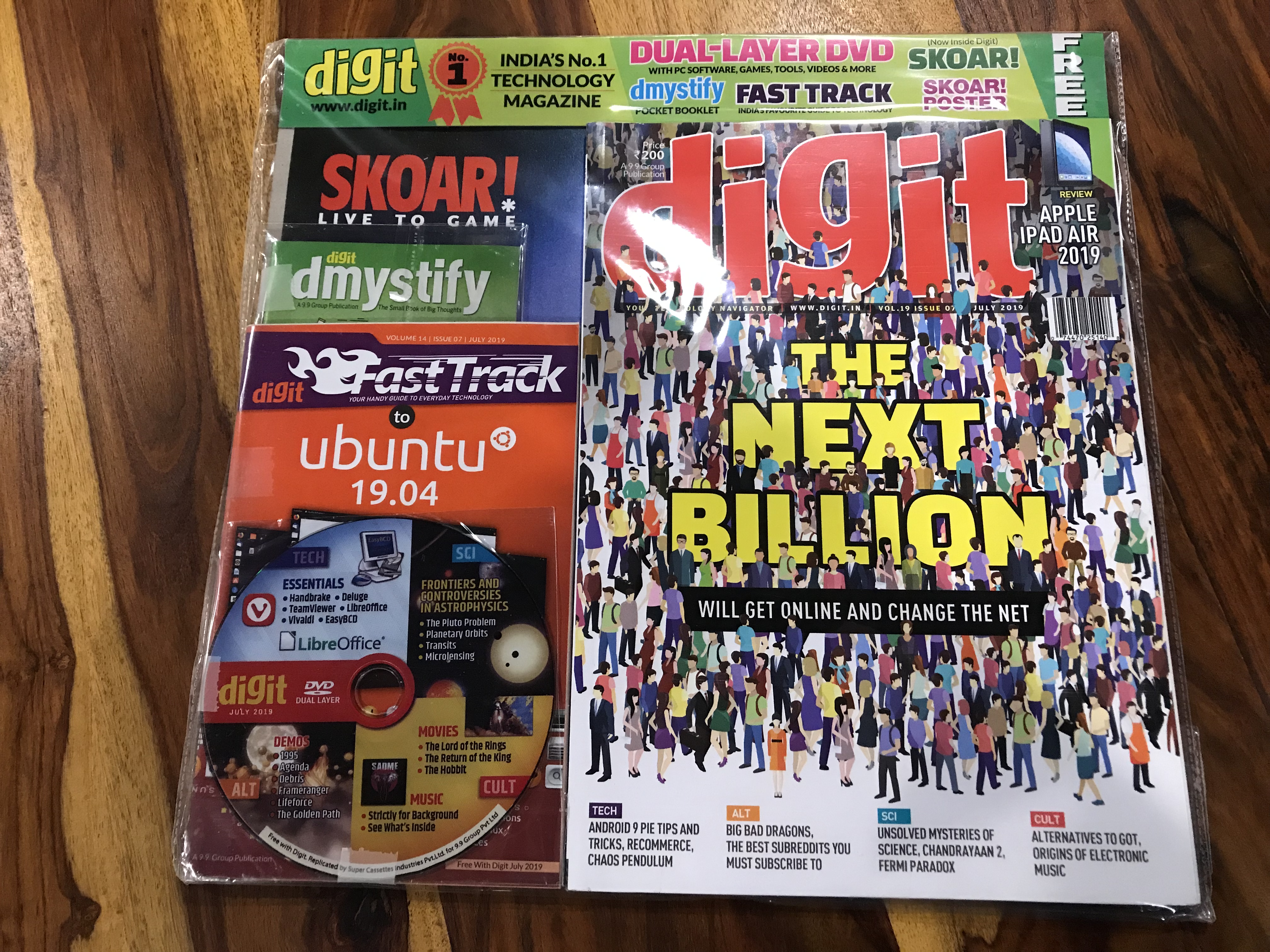
My tryst with the modern PCs started in the mid 90s when the internet was almost non existent in India. At the time, software and games were not easy to come by and magazines like Chip which have away trial versions and freeware in CDs along with their copies were quite sought after. Chip later became Digit in India but the freebies continued.
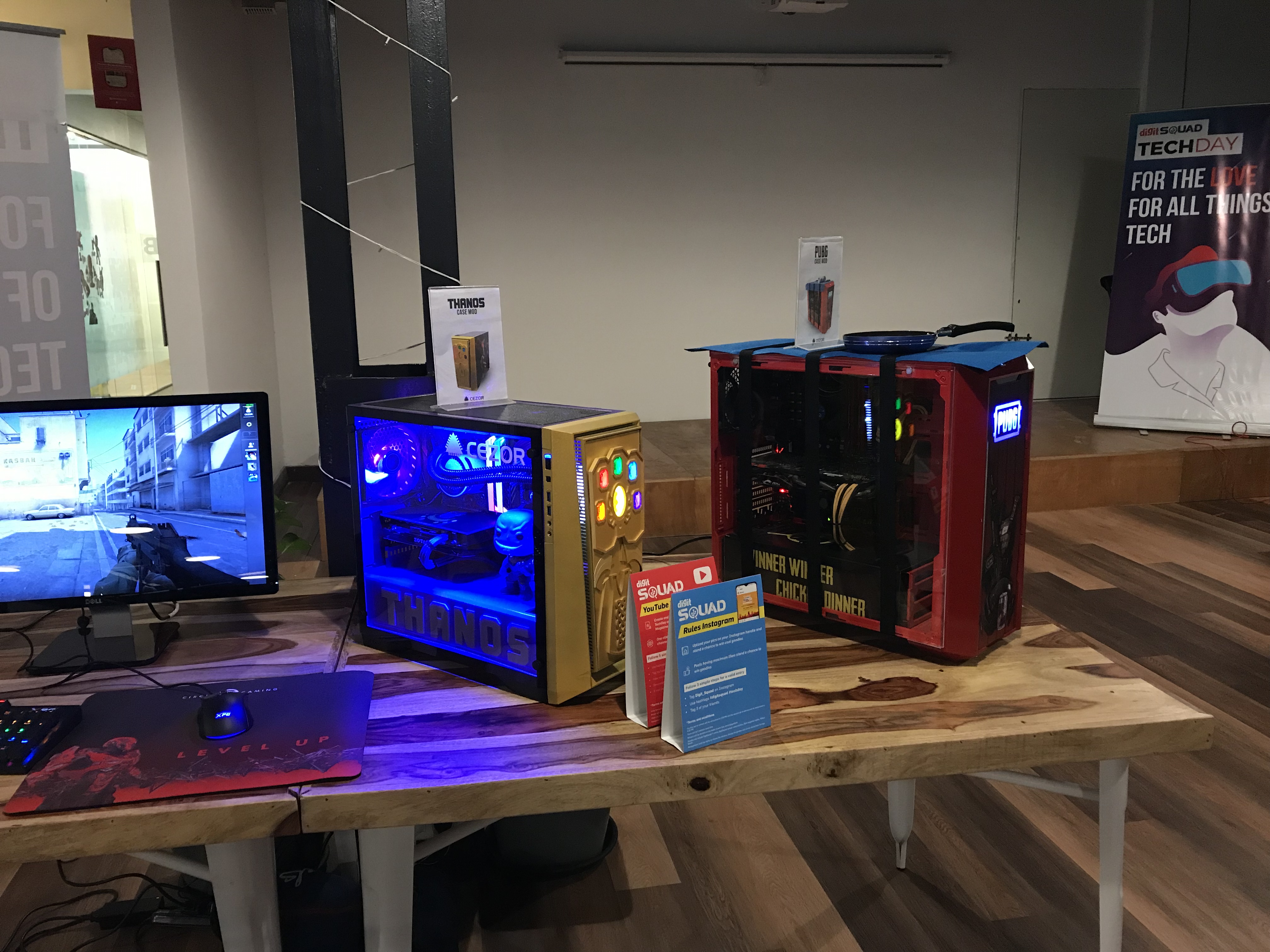
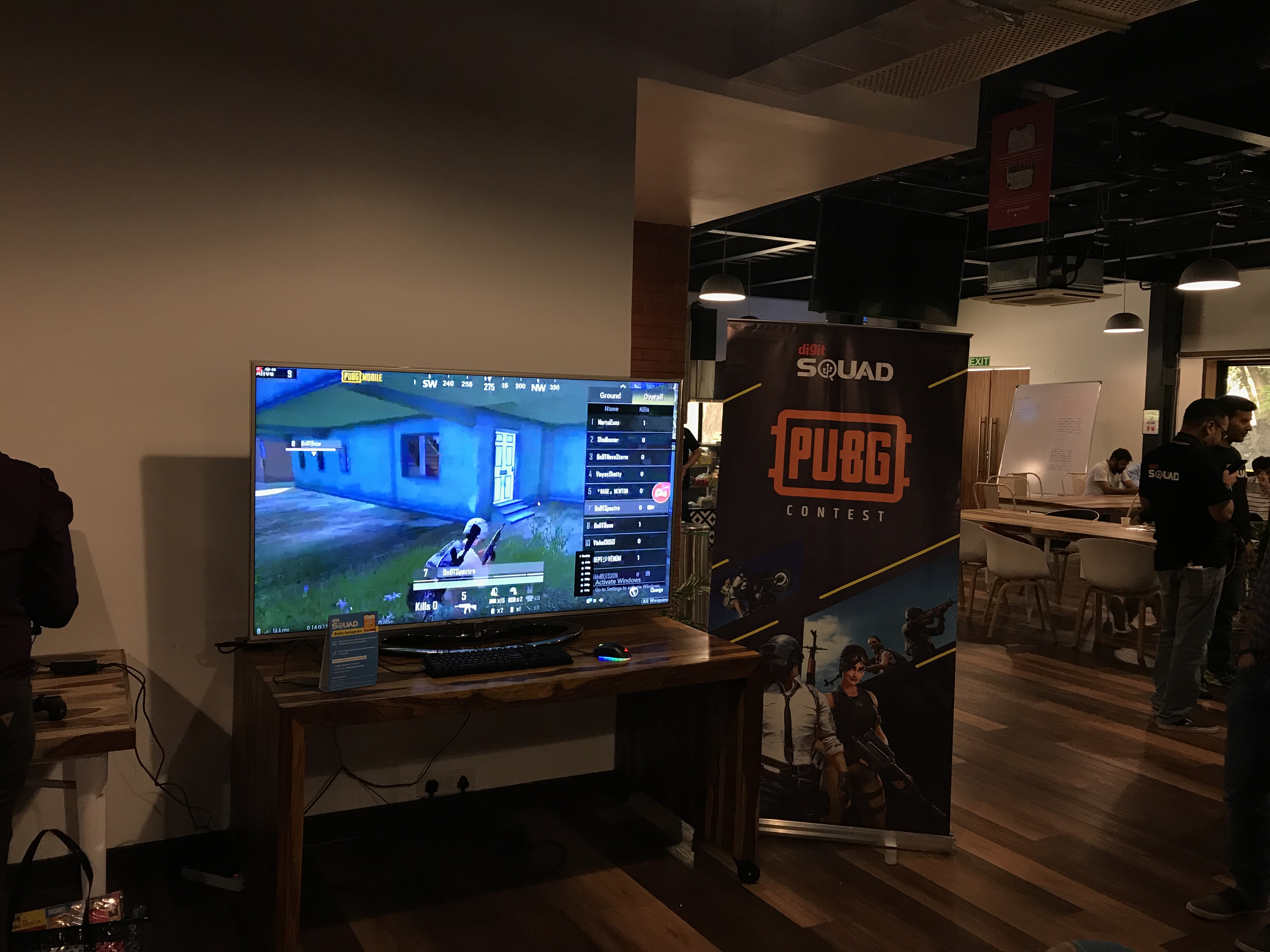
It was with this thought that I attended the Digit Squad Tech Day in Mumbai today and it was fun to see all the colourful assembled desktops, consoles and mobile phones placed around the venue and fellow Digit Squad members participating enthusiastically in the different contests. Felt quite nostalgic to soak in the geeky environment.
Didn’t sit around idle of course and instead captured a few videos of the front camera fall detection in action for the smartphones on display. You can catch the video here.
OnePlus and Oppo seem to be catching on quite soon and they flash a dialog on screen while Samsung seems to be partially retracting their module. The Redmi K20 pro is similar in terms of responsiveness to Oppo and OnePlus but it closes the camera app instead of showing any alert. The Asus Zenfone 6z provides an interesting experience where you can see the arc on screen as the module rotates to its resting position.
Got my first smart speaker, the Amazon Echo Plus yesterday and it seems to be nicely Indianised. It seems to be using the Raveena voice based on Indian English or a variant thereof from Amazon Polly (AWS’s text to speech service). The Alexa app itself is also pleasantly adapted for India with the appropriate command suggestions and services available.
Some of the India specific commands to try
I had pre-ordered the device and it was delivered within a day of the dispatch. The setup process was quite smooth and once done, I promptly went about installing a bunch of skills ranging from the utilitarian to the time pass ones.
As a music player, the sound quality is decent but nothing spectacular as many reviewers have noted. As for the music catalog, it seems to be using Saavn exclusively though it does Amazon music as one of the options in the app. Saavn itself has a decent catalog and Alexa has again been Indianised sufficiently to understand some Hindi song names. I tried “Play the song ek main aur ek turn” and it actually started playing the song from Saavn though it did pronounce “main” the English way.
Alexa understands Hindi!
The flash briefing skill is quite handy to get a quick bulletin of your areas of interest once you have set it up with your desired sources. It can also give you cricket score updates without any skill installation as I tried out during today’s India – New Zealand match.
I installed the Uber and Ola skills to check the overall utility factor. While Alexa seems to be able to book an Uber including picking up your location, the payment mode defaults to cash which is a dealbreaker for me. Then there’s the Zomato skill I installed and tested. It seems to know your last 3-4 orders and you can reorder as well but didn’t go beyond browsing for the moment.
The alarms and timers work pretty well too and I conveniently set a sleep timer to stop playing the music while going to bed.
Then of course there’s the whole reason why I got the plus instead of the regular model which is the smart home hub built into the device. A solo Philips hue bulb is what I ordered next and setup today. It was again a pretty simple process with the Echo detecting the bulb in a few seconds. Controlling the bulb by voice is also quite easy right from switching it on and off to changing the colour and brightness. The app however has just the on/off switch and brightness control at the moment and as many reviewers have noted, the functionality of the smart devices using just the Echo Plus is considerably limited when compared to using the devices with their respective hubs. This is definitely one area of improvement and given the kind of coverage you see for smart homes on the Amazon Alexa pages, it should improve sooner rather than later.
Apart from all this you can also use the Echo as a Bluetooth speaker and pairing it with my iPhone was quite simple. That said, all the sounds from the phone start getting carried over to the speaker and this interrupts any song or speech playing on it directly. Due to this, I ended up keeping the phone disconnected unless I wanted to play something from my phone.
One thing I couldn’t find is the voice profiles option that lets Alexa identify the person speaking and customising the responses accordingly. Possibly a feature not yet rolled out to the Indian market as it seems to depend on the Amazon app that didn’t seem to have this option in my case.
A smart speaker is a family device but my wife is not very enthused by the idea while my 4 year old daughter would like to play with Alexa but hasn’t yet gotten out of her initial shyness phase to begin talking freely to her. It didn’t help that Alexa couldn’t answer many of her queries and also the fact that she was trying to get Alexa to identify the colours of the crayons she was holding in front of the device – a perfect case for Google Lens and Assistant.
This is of course just what I’ve been able to check out in the first 24 hours with the Echo Plus and I’m sure there’s lots more already available and also coming in the near future.
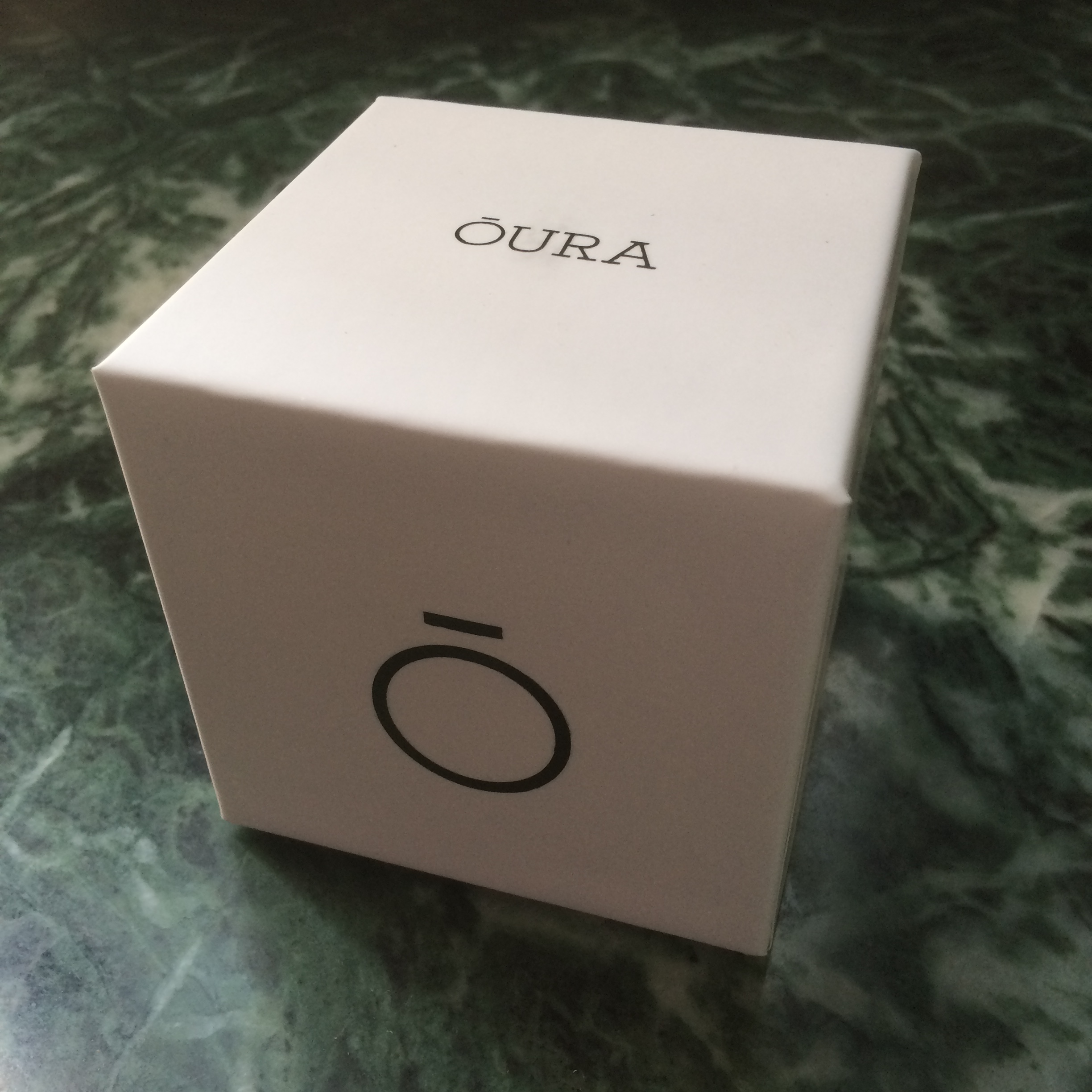
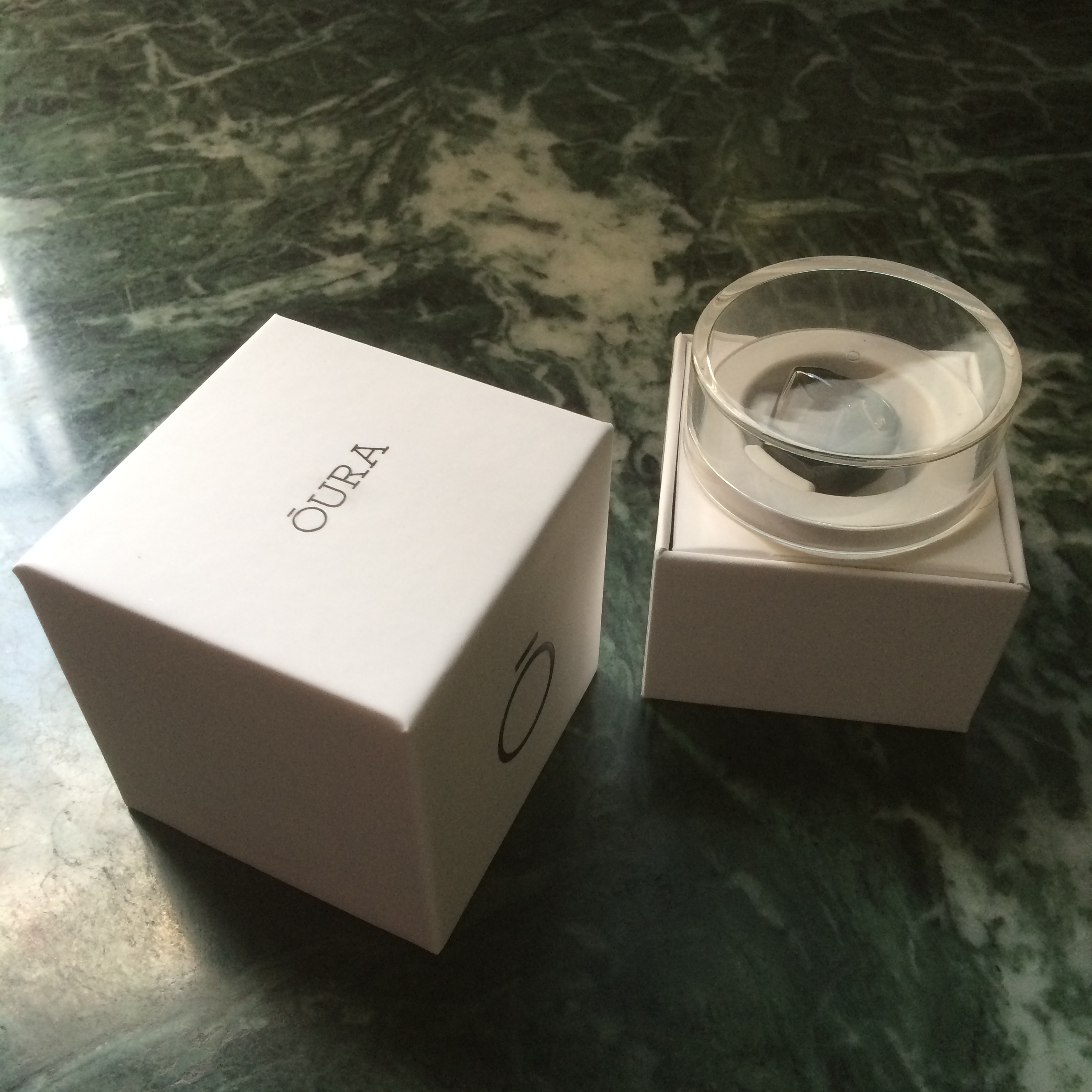
I got the Oura Ring through Kickstarter earlier this year and have been wearing it daily since then. This has been one of the gadgets that has drawn the attention of friends, colleagues and strangers alike. The Oura Ring is primarily a sleep tracker with a variety of sensors to measure your activities and sleep 24×7. It connects to its app your phone through bluetooth for daily insights and analysis. In short, it functions just like the typical wrist worn fitness tracker with a focus on sleep tracking, but in a much smaller form factor which makes it more comfortable to wear all the time.
The ring is definitely a large one, and would not look out of place on Mogambo‘s fingers. That said, it doesn’t feel very heavy or uncomfortable to wear all the time if worn on the correct finger. The wife acceptance factor is also pretty low as I have found out over the last few months (I had to leave it behind during one of our family vacations), but it rarely fails to draw the attention of anyone seeing it for the first time.
The ring is not exactly symmetric and due to this, fits more comfortably on either the index & middle finger of your left hand or the ring & little finger of your right. There are also small protrusions on the inner bottom side of the ring for the heart rate and body temperature sensors, but they are imperceptible when worn.
I got the glossy black version and it has resisted scratches quite admirably though it can attract fingerprints. The completely waterproof nature of the rings ensures that it gets a regular cleaning every time you wash your hands or take a bath, so hygiene is taken care of unlike some smartwatches with straps that can’t be wet.
The battery life of the ring has also been great, lasting 2-3 nights and worn all day long, depending primarily on how long I sleep. The ring charger is basically the case it came in with a micro-USB port for charging. When the battery reaches around 10-12%, the ring seems to stop recording any information. A full charge takes about an hour in this state.
There have been quite a few firmware and app updates (about once a month) that have fixed bugs and tweaked how sensitive the ring is to activities. It also integrates with the Health app on iOS and sends the sleep data and resting heart rate every cycle.
The ring is pretty much passive in nature with no display or direct interaction mechanism. It instead uses the phone app to sends notifications like low battery or time to stand up. However, it does detect when it is worn and can accordingly activate its tracking. There are also ways to activate an airplane mode and reset it through the app.
Coming to its actual utility, I have found it to track my sleep quite well, though it is limited to one cycle a day. So, if you take a nap in the afternoon, it won’t show in the app, but it does track the info and seems to pass it on to the iOS Health app. For the sleep tracking, it detects the different phases of sleep – light, deep & REM – along with your resting heart rate and body temperature. It then gives a score to the sleep cycle and your overall readiness depending on a variety of factors, and provides a few suggestions for the day.
The ring gradually learns your the range of your typical vitals and adapts its analysis accordingly. For example, one night I was coming down with a fever and it was able to detect the elevated body temperature and higher than usual body temperature to give a basic diagnosis the next morning.
I have found the ring to be quite useful to better understand my sleep patterns and the sources of disturbances in the cycle. There are however times when I have not been able to follow through on the suggestions given and at the end of the day a fitness tracker can only provide guidance but not enforcement for healthy habits.
There are also some areas of improvement for the ring – tracking multiple sleep cycles in a day for one and passing on the wealth of information it captures to the Health app for another. The latter area is especially one where the ring seems to be capturing a lot of data points, but not exposing them directly to the end user.
The Oura ring has turned out to be one of my most interesting backed projects on Kickstarter and it definitely is a precursor of things to come in the wearables and IoT space beyond today’s wrist worn devices. A hat tip to the Four short links post that led me to Oura.
Looks like Apple is revamping their event calendar and spacing out the events a bit more reasonable with one at the start and one towards the end. It was also a pretty busy event with ton of new launches and quite a few items that were skipped altogether – most notably the Mac OS X update. Of course the gist most of the announcements made in the event were known beforehand, but there were some surprises nonetheless.
The long rumoured iPad Pro finally made its debut and pretty much validated the strategy that Microsoft had pioneered with their Surface Pro series – you need a screen larger than 10″, split screen multitasking and a keyboard to make tablets more productive. And then of course there was the Apple Pencil which was again expected given the need for precision & flexibility when drawing. The 2 biggest takeaways was first, Microsoft demoing Office in the session that pretty much sums up the vastly different approach taken in the Satya Nadella era, and second the near doubling of quoted performance of the iPad Pro over the Air 2. This definitely makes the writing clearer on the wall for Intel, as the iPad Air 2 was nearly half as fast as the Core M processors and this should bring the performance in the same ballpark. In fact, in the last few years, Apple has probably been the biggest factor behind Intel’s innovations given the dearth of competition from AMD.
The fact that there was no other iPad update, unless you count the passing mention of the iPad mini 4, shows the speed at which the tablet market has matured and reached a good enough state. Arguably, the iPad 2 was at a good enough state in terms of hardware power and is still being supported with iOS 9. The iPad Pro is Apple’s attempt to grow the tablet market beyond home users and into the enterprise segment. That will definitely take a good deal of time given that most enterprises are Microsoft strongholds and the cost factor will prevent them from outright replacing PCs. Also, whatever the demos may want you to believe, most enterprise workers do not get to do such fancy stuff with their devices.
Health seems to have become the main usage focus for the Apple Watch given the proportion of time given for fitness and health related aspects. This is also probably one of the scenarios where the performance of the Watch will not be constrained as a first generation hardware. The partnership with Hermes also emphasised the luxury status of the Watch, and unless the pricing changes over the years (unusual for new launches), price will remain one of the major roadblocks to its adoption. The second generation of the Watch is likely to improve the internals significantly, and we are likely to have a white iPhone moment in the future with a round Apple Watch.
Then there was the Apple TV that at last gave us a glimpse of Steve Jobs famous “I finally cracked it” quote. Technology was definitely not one of the factors that had held back the Apple TV from being launched in the last couple of years, as the real battle is with the content providers rather than any of the other apps. In fact, it will probably be a while before people outside the US or some of the typical Apple strongholds will get much in form of regional content on the Apple TV. There was also no mention of HomeKit in the entire session, and this likely means that while the hardware is probably present in the new TV, the ecosystem has some way to go. The Apple TV also affirms the A8s new role as the venerable A5s long term replacement given that the iPod Touch and iPad Mini 4 upgrade to A8.
Last but not the least, the iPhone 6s\6s+ updates were also along expected lines and oddly enough relegated to the end of the show. Force Touch or rather 3D Touch definitely opens up a new dimension of interaction, but the real innovation will be when we have touchscreens that are able to simulate the feel of different surfaces. The camera improvements were also pretty much mandatory given the older 8 MP sensors inability to shoot 4K videos. The unusual part of the new devices was the increase in weight of both models by almost 10% and an almost imperceptible increase in size. Then there were a bunch of touted features that have been seen before in other phones on the Android and Windows side of the fence like moving photos (HTC Zoe) and using the display as a flash (LG).
Overall, the product launches rounded off a very busy year for Apple, but there was a sense of deja vu with many of the showcased features which other companies have previously demonstrated to about 80% of their potential. It is however, the last 20% of spit, polish and sweat that typically separates the Apple experiences from the rest.
I was one of the late backers of the Pebble Time smartwatch, and finally received it today. I backed it after the Apple watch event in early March and deciding that the first gen Apple watch was a bit too expensive for me. I also got lucky with the Pebble Kickstarter campaign and managed to switch my initial pledge of $169 to the early bird $159 when people had started backing out towards the end of the campaign.
The shipment was delayed by nearly a month, but that’s not too bad by Kickstarter standards, and as I had opted for the expedited option with prepaid duties and taxes, I received my package within a week of dispatch. I did have to stay in regular touch with the DHL support, first for the KYC documents and then for the description letter to the customs team. There was also the currency goofup on the invoice with labels in EUR though the payments had been in USD. This was something many of the Indian backers who received their packages before me had observed on the campaign portal. Fortunately for me, the DHL team seems to have managed to sort out these issues with the customs to ensure that I received the package just a day later than their estimate.
Anyway, coming to the Pebble Time, it is definitely quite lightweight and pretty comfortable to wear. The silicone strap seems quite comfortable as well and the material feels just like those silicone cupcake moulds and other similar kitchen accessories that one sees in stores. As for the display, it is fairly colourful, but a bit dim even with the backlight as many reviewers and users have observed. It is especially problematic in the current monsoon season with cloudy skies most of the time. That said, I’m sure app and watchface developers will start optimizing their products for the display in the coming months to improve readability. The double bezel is also on the thicker side by modern gadget standards, but haven’t found it to be very distracting so far. As for the coating on the steel frame, I suspect Pebble might be facing the same durability challenges as Apple did with the iPhone 5 black version, given the scratch reports from early users.
I opted to pair the Pebble Time with my iPhone 5s instead of the Mi 4, and loaded a bunch of apps and watchfaces on it including the PebbUp watchfaces that I’d backed on Kickstarter. The notifications have been trickling in since the pairing as well and the vibration is fairly gentle. I’d already done some notification management on my iPhone, so haven’t been getting flooded thus far, and even cricket scores are showing up thanks to the ESPNCricinfo app alerts.
I also did a full charge of the Pebble while installing the apps though it was well over 60% when I got it. It charged up pretty quick even from a laptop USB port. Also, no faulty cable.
Some of the other things I’d like to test in the coming weeks are Android support and voice replies, fitness tracking (already installed some apps), usage at work (currently working from home with a broken arm) and of course the battery life. In the meantime, checkout the unboxing and initial setup photos below.