Category: Reviews

  • [Sponsored] Revolutionizing Links: The 7 Best URL Shorteners for 2025

    Long and messy URLs are a challenge in today’s fast-paced digital world. Whether you’re promoting on social media, email, or print campaigns, shortening and customizing URLs not only makes them visually appealing but also enhances their functionality with tracking and targeting options.

    Here’s our curated list of the top URL shorteners for 2025. At the top is TNYL.link, a cutting-edge tool redefining link management.

    1. TNYL.link: The Ultimate URL Shortener of 2025

    For more than simple link shortening, TNYL.link leads the pack. It’s perfect for creators, marketers, and enterprises seeking comprehensive tools for smarter link management.

    What Sets TNYL.link Apart? 🔗 Geo Targeting: Tailor experiences by location.
    📱 Device Targeting: Redirect users based on devices.
    🌍 Language Targeting: Match content with users’ preferred languages.
    Custom Aliases & Domains: Personalize URLs for trust and branding.
    🔒 Password Protection: Restrict access for privacy.
    📊 Advanced Analytics: Understand audience behavior, including clicks and demographics.
    🎯 A/B Testing: Test link effectiveness and optimize campaigns.
    📅 Link Expiration: Schedule links to expire after a certain date or number of clicks.
    📲 Deep Linking: Send users to specific app locations seamlessly.
    🌟 Rich Bio Pages: Build multi-link pages for social profiles.
    📷 Custom QR Codes: Create branded QR codes for physical promotions.

    Who Should Choose TNYL.link? Whether you’re an influencer, e-commerce entrepreneur, or enterprise, TNYL.link provides tailored solutions to elevate campaigns.

    Pricing Enjoy a free tier (500 links, 10,000 clicks/month) or explore competitively priced plans, including lifetime deals.

    2. Bitly: The Classic All-Rounder

    With over 15 years of trust, Bitly remains a reliable choice for businesses looking for simple yet powerful link management.

    Key Features • Easy-to-use dashboard.
    • QR code creation.
    • Basic analytics in free plans; advanced analytics in paid tiers.

    Limitations The free plan is restrictive, offering only 10 links/month.

    Pricing Starts at $35/month for 1,500 links and enhanced analytics. Higher tiers include custom domains.

    3. Rebrandly: The Customization Leader

    If branding is paramount, Rebrandly excels with its domain customization options.

    Key Features • Custom URLs for a professional look.
    • Detailed tracking tools.
    • Branded QR codes for offline campaigns.

    Limitations Free plans are limited to 10 links and 100 clicks/month.

    Pricing Starts at $13/month, covering 2,500 links and advanced tracking.

    4. Dub: The Fresh Innovator

    Launched in 2022, Dub is gaining traction for its innovative design and unique features.

    Key Features • AI-powered slug suggestions.
    • Analytics with city-specific insights.
    • QR code and custom domain support.

    Limitations Some advanced features are still in development.

    Pricing Free for up to 25 links and 1,000 clicks/month. Paid tiers begin at $24/month.

    5. TinyURL: The Simplest Choice

    For quick and straightforward URL shortening, TinyURL remains a go-to option.

    Key Features • No account required for basic shortening.
    • Custom slugs available for branded links.

    Limitations Lacks advanced features like analytics and targeting.

    Pricing Free for basic use, with pro plans starting at $12.99/month.

    6. BL.INK: Best for Businesses

    Designed for business owners, BL.INK offers dynamic features for enterprises and small teams alike.

    Key Features • Advanced tracking for user insights.
    • Dynamic redirection by device type.
    • Team collaboration tools.

    Limitations The platform has a steeper learning curve, and plans can be expensive for smaller teams.

    Pricing Free for up to 1,000 links. Paid plans start at $48/month.

    7. Short.io: The Feature-Rich Free Plan

    For robust functionality without high costs, Short.io is an excellent choice.

    Key Features • Free plan includes 1,000 branded links.
    • Target users by geography and device.
    • Detailed analytics for better tracking.

    Limitations A custom domain is required, which could deter beginners.

    Pricing Free tier for 1,000 links. Paid plans begin at $19/month.

    Why Choose TNYL.link?

    Among these great options, TNYL.link stands out for its versatility, advanced targeting, and user-friendly design. Whether you’re running a social media campaign or managing a large-scale enterprise, TNYL.link is your go-to solution.

    Start creating smarter links with TNYL.link today! (note that this is a referral link)

  • Dubai Diaries: Staying active via VR

    Dubai Diaries: Staying active via VR

    The second device (the first was of course the gaming laptop that has been doing double duty as a GenAI device) that I purchased in Dubai after relocating in 2022 was the Meta Quest 2 VR headset.

    Picking it up towards the end of the year has its advantages as the apps and games are usually discounted due to the Christmas sales. In fact I got Beat Saber as a freebie with my purchase. This was the game that sent me down the Meta VR App store rabbit hole where I found a bunch of sports games like:

    There are also games for boxing, fishing, shooting, Star Wars (becoming Darth Vader’s apprentice) among others. They are a big departure from the typical computer, mobile or console gaming as they require you to move around and give you a decent workout.

    I also picked up some accessories like the hard case to store & transport the device in a safer manner, along with the head strap replacement. The head strap in particular is a big upgrade and almost necessary if you want to use the headset for even a moderate amount of time.

    Most have been around for several years now and have gotten a boost in terms of features & quality thanks to the renewed focus on AR & VR with the launch of the Apple Vision Pro and the Meta Quest 3 over the last year or so.

    Here’s my experience with some of these apps that have helped me stay more active, especially during the Dubai summers when it gets pretty difficult for outdoor activities. One thing to note is that most of these apps/games require some dedicated space – typically 6″ x 6″ – to play safely, though some can be played standing in one place.

    iB Cricket

    This game has been developed by a team from India, and you can see that they have done their share of partnerships with some of the mainstream cricket events over the years. It is mainly a batting simulator where you can play as a bunch of teams at varying difficulties and it also has multiplayer options & leagues if you like to compete against other players.

    They sell a bat accessory that can be used with the Quest 2 controller to give you an easier and more authentic experience. This was in fact something that I picked up during one of my India trips and it really makes the gameplay much better.

    VZFit

    This year, I also picked up a subscription to the VZFit app which can be used with an indoor bike to stay fit. By default they have a fitness experience that you can perform using just the controllers, but the virtual biking is what piqued my interest. The app allows you to bike around different locations in Google Maps using the Streetview images in an immersive form.

    Here’s a sample from one of my rides along the Colorado river:

    There are a bunch of user curated locations that can be quite scenic. Some even come with voiceover to direct your attention to places of interest. They also have regular challenges and leaderboards if you like to compete, and integration with a bunch of online radio stations to keep you entertained. You also have a trainer who can accompany you on a bike and guide you with the workout.

    You mainly need to connect a compatible bluetooth cadence sensor to your Quest headset so that it can detect the bike activity. As for the stationary bike, you can get your own or use one in the gym. I got the Joroto X2 spin bike which seems to be pretty good value. A battery powered clip-on fan can also be pretty handy to keep you cool and also simulate a breeze when you are virtually biking.

    Beat Saber

    Beat Saber is possibly one of the most well known VR games. After all, it’s not every day that you get to dual-wield something akin to light sabers and chop things up with a sound track to match.

    It is basically a virtual rhythm game that has been around for several years where you wield a pair of glowing sabers to cut through approaching blocks which are in sync with a song’s beats and notes. This can give you a really good workout as it also involves ducking and dodging in addition to the hand movements.

    Eleven Table Tennis

    Given the size of the Quest controllers and in hand feel similar to a TT bat, table tennis feels like a natural fit. This was one of the first sports games that I picked up on the Quest, and I have seen this game evolve within a few months of my purchase. Currently it has a host of options ranging from practice to multiplayer with different levels of difficulty.

    The multiplayer part is also pretty interesting and immersive as it can use your Meta avatar for the in game player. It also has voice chat so you can talk to your opponent. The in game Physics is also very realistic due to which you sometimes forget that there is no actual table in front of you.

    Vader Immortal Series

    This is a 3 episode game on the Quest, and doesn’t actually need you to move around as much as the other sports games that I have mentioned. However, if you are a Star Wars fan, this is pretty much a must try game as it gives you your fill of light saber fighting sequences starting a training involving with those mini floating droids and leading up to enemy fights standing beside Darth Vader.

    If you loved the Jedi Knight series on the computer or one of the recent Star Wars games involving Jedi, then this is pretty much a no brainer to try out. Oh, and you do get to use the force push/pull powers as well.

  • First impressions of Spotify in India

    The service launched yesterday in India in the midst of the Warner music conflict, but it seems to have a pretty decent catalogue in India. The recommendations engine is also top notch as I experienced it first hand by feeding in my preferred artists across different genres and it right away created a bunch of playlists with some of my favorite songs. Definitely the best experience of all the music streaming services so far for me.

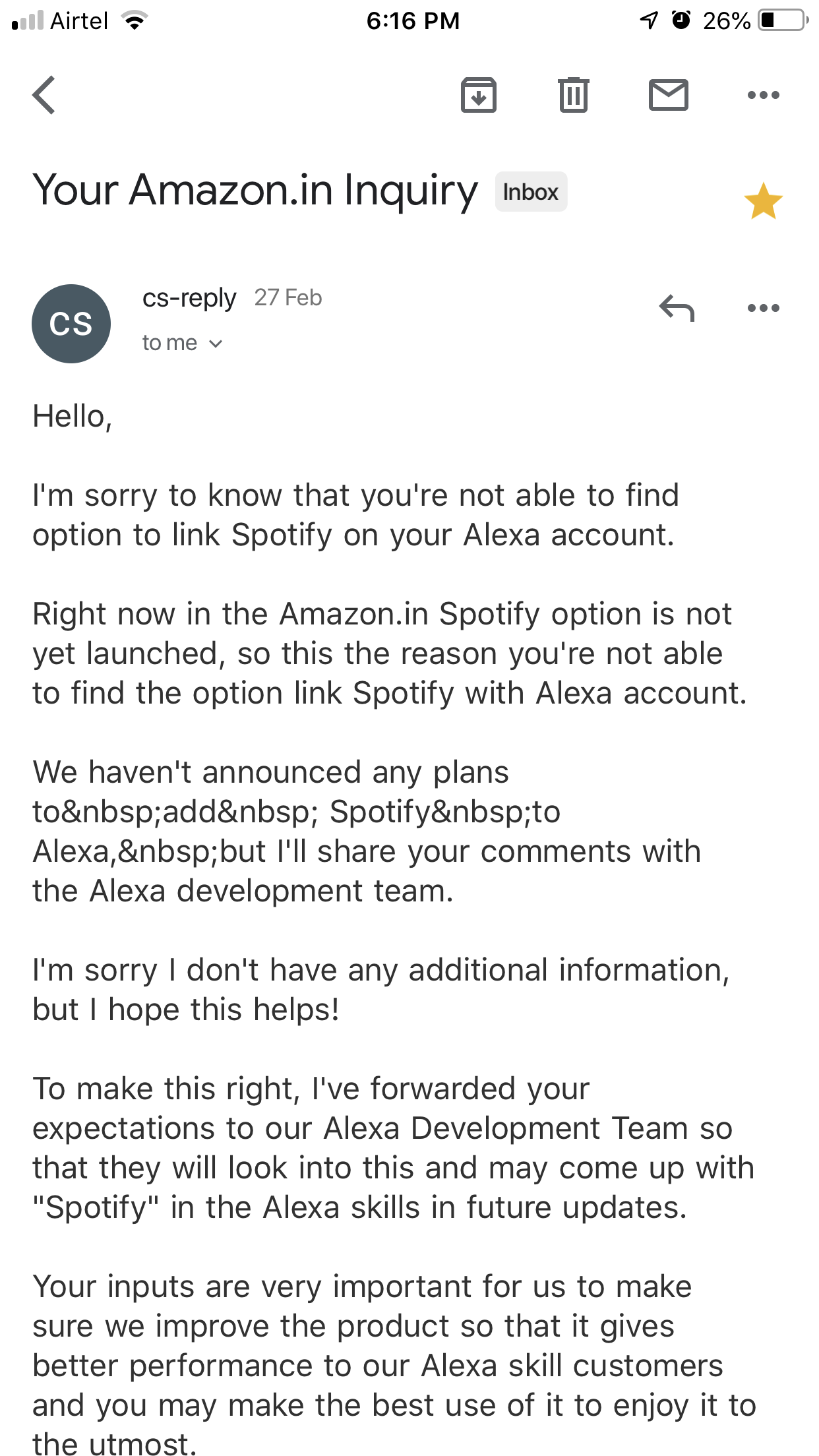
    I’m currently on the free tier which doesn’t lose out much other than the highest audio quality and offline storage. The ads are bearable for now. It also seems that Amazon is holding back with their Spotify support on the Echo line in India as seen in this mail from customer support.

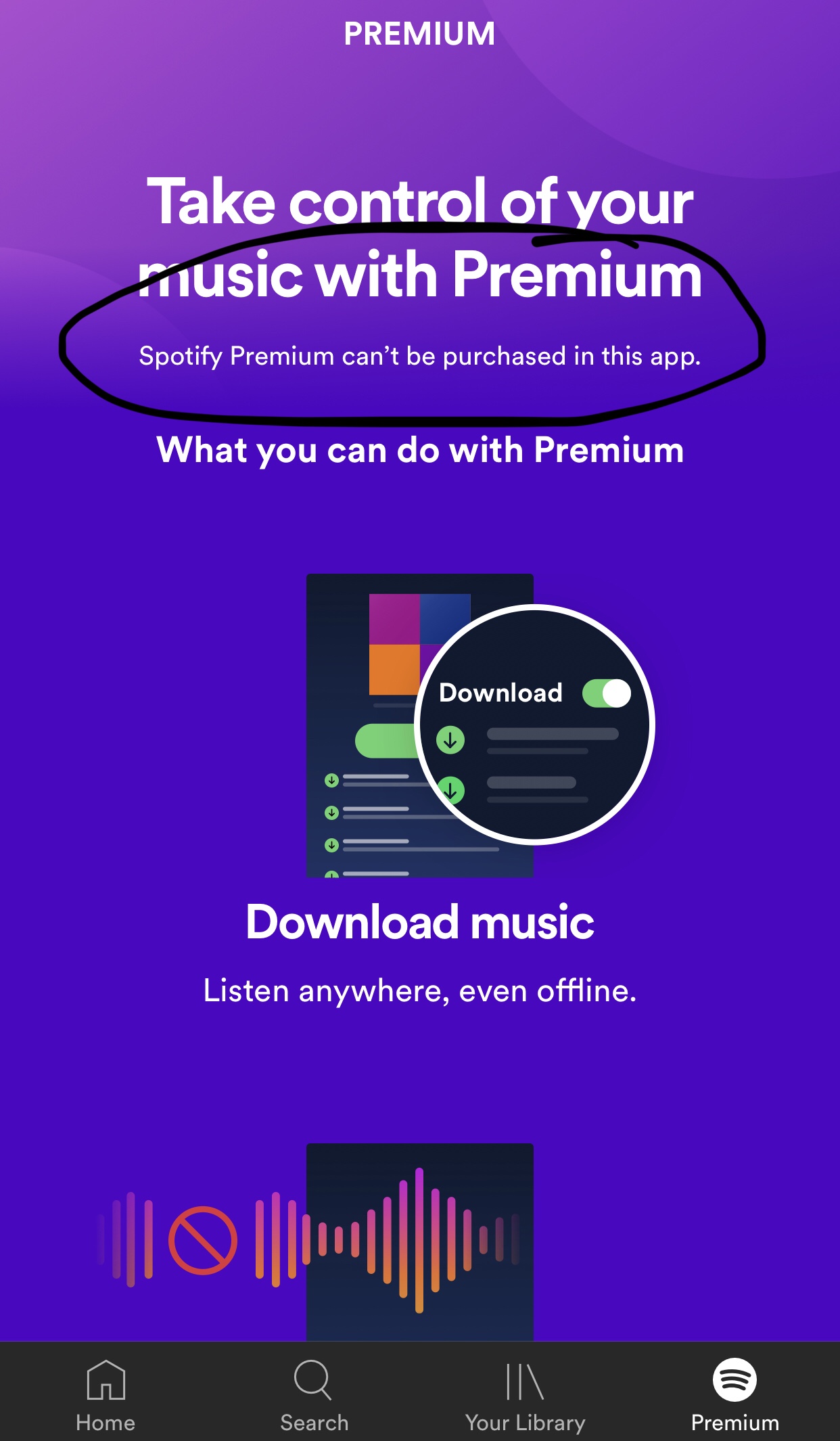
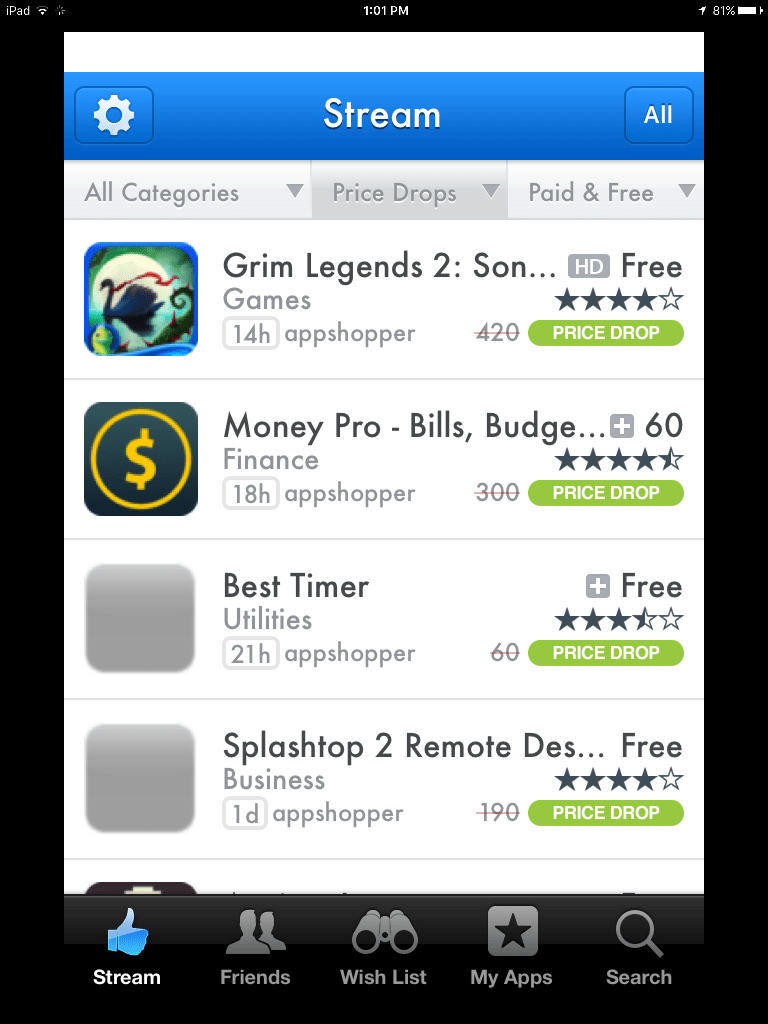
    The premium pricing is also in line with Apple Music though quite a bit more expensive than the Indian services like Wynk or Saavn. It also doesn’t seem to support in app purchases on iOS as evidenced below.

    I’ll probably go for the premium subscription once the Echo support kicks in or I require the offline access. For now, happy with the free tier of Spotify and making do with Amazon Music on the Echo.

  • Amazon Echo Plus in India – first impressions


    Got my first smart speaker, the Amazon Echo Plus yesterday and it seems to be nicely Indianised. It seems to be using the Raveena voice based on Indian English or a variant thereof from Amazon Polly (AWS’s text to speech service). The Alexa app itself is also pleasantly adapted for India with the appropriate command suggestions and services available.

    Some of the India specific commands to try

    I had pre-ordered the device and it was delivered within a day of the dispatch. The setup process was quite smooth and once done, I promptly went about installing a bunch of skills ranging from the utilitarian to the time pass ones.
    As a music player, the sound quality is decent but nothing spectacular as many reviewers have noted. As for the music catalog, it seems to be using Saavn exclusively though it does Amazon music as one of the options in the app. Saavn itself has a decent catalog and Alexa has again been Indianised sufficiently to understand some Hindi song names. I  tried “Play the song ek main aur ek turn” and it actually started playing the song from Saavn though it did pronounce “main” the English way.

    Alexa understands Hindi!

    The flash briefing skill is quite handy to get a quick bulletin of your areas of interest once you have set it up with your desired sources. It can also give you cricket score updates without any skill installation as I tried out during today’s India – New Zealand match.


    I installed the Uber and Ola skills to check the overall utility factor. While Alexa seems to be able to book an Uber including picking up your location, the payment mode defaults to cash which is a dealbreaker for me. Then there’s the Zomato skill I installed and tested. It seems to know your last 3-4 orders and you can reorder as well but didn’t go beyond browsing for the moment.

    The alarms and timers work pretty well too and I conveniently set a sleep timer to stop playing the music while going to bed.

    Then of course there’s the whole reason why I got the plus instead of the regular model which is the smart home hub built into the device. A solo Philips hue bulb is what I ordered next and setup today. It was again a pretty simple process with the Echo detecting the bulb in a few seconds. Controlling the bulb by voice is also quite easy right from switching it on and off to changing the colour and brightness. The app however has just the on/off switch and brightness control at the moment and as many reviewers have noted, the functionality of the smart devices using just the Echo Plus is considerably limited when compared to using the devices with their respective hubs. This is definitely one area of improvement and given the kind of coverage you see for smart homes on the Amazon Alexa pages, it should improve sooner rather than later.


    Apart from all this you can also use the Echo as a Bluetooth speaker and pairing it with my iPhone was quite simple. That said, all the sounds from the phone start getting carried over to the speaker and this interrupts any song or speech playing on it directly. Due to this, I ended up keeping the phone disconnected unless I wanted to play something from my phone.

    One thing I couldn’t find is the voice profiles option that lets Alexa identify the person speaking and customising the responses accordingly. Possibly a feature not yet rolled out to the Indian market as it seems to depend on the Amazon app that didn’t seem to have this option in my case.

    A smart speaker is a family device but my wife is not very enthused by the idea while my 4 year old daughter would like to play with Alexa but hasn’t yet gotten out of her initial shyness phase to begin talking freely to her. It didn’t help that Alexa couldn’t answer many of her queries and also the fact that she was trying to get Alexa to identify the colours of the crayons she was holding in front of the device – a perfect case for Google Lens and Assistant.

    This is of course just what I’ve been able to check out in the first 24 hours with the Echo Plus and I’m sure there’s lots more already available and also coming in the near future.

  • The Oura Ring

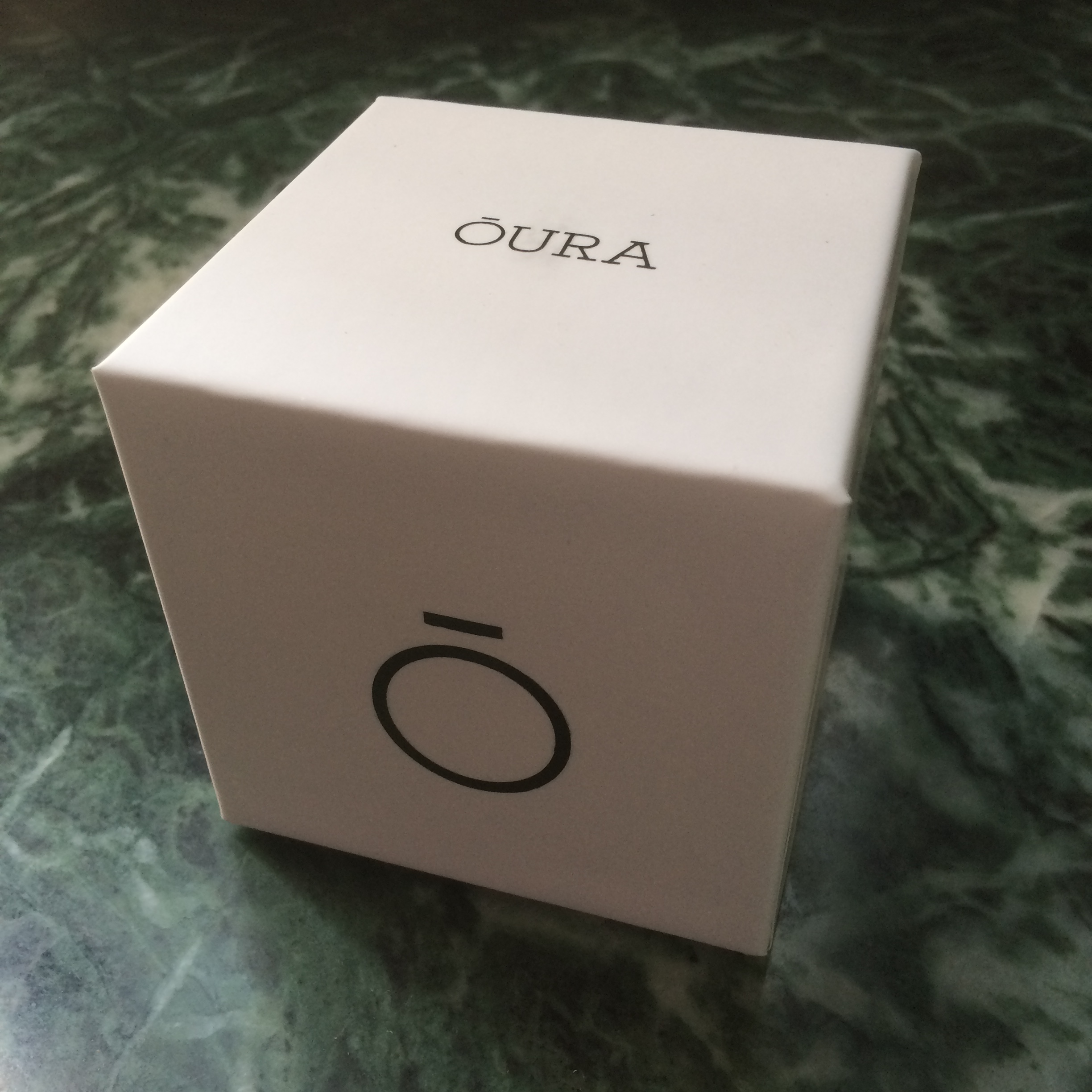
    oura-blackglossy-4331

    I got the Oura Ring through Kickstarter earlier this year and have been wearing it daily since then. This has been one of the gadgets that has drawn the attention of friends, colleagues and strangers alike. The Oura Ring is primarily a sleep tracker with a variety of sensors to measure your activities and sleep 24×7. It connects to its app your phone through bluetooth for daily insights and analysis. In short, it functions just like the typical wrist worn fitness tracker with a focus on sleep tracking, but in a much smaller form factor which makes it more comfortable to wear all the time.

    The ring is definitely a large one, and would not look out of place on Mogambo‘s fingers. That said, it doesn’t feel very heavy or uncomfortable to wear all the time if worn on the correct finger. The wife acceptance factor is also pretty low as I have found out over the last few months (I had to leave it behind during one of our family vacations), but it rarely fails to draw the attention of anyone seeing it for the first time.

    The ring is not exactly symmetric and due to this, fits more comfortably on either the index & middle finger of your left hand or the ring & little finger of your right. There are also small protrusions on the inner bottom side of the ring for the heart rate and body temperature sensors, but they are imperceptible when worn.

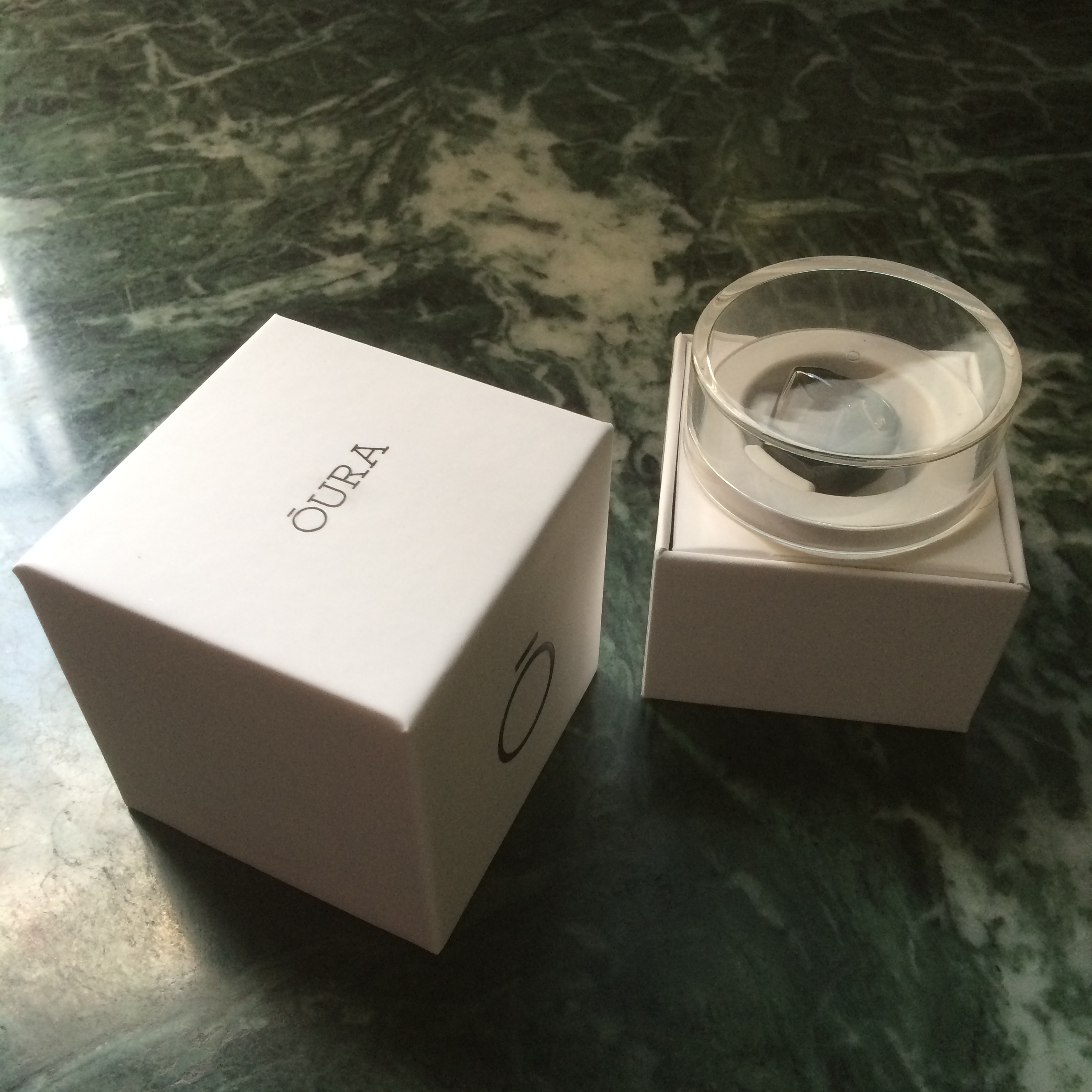
    20160511_124325856_ios

    I got the glossy black version and it has resisted scratches quite admirably though it can attract fingerprints. The completely waterproof nature of the rings ensures that it gets a regular cleaning every time you wash your hands or take a bath, so hygiene is taken care of unlike some smartwatches with straps that can’t be wet.

    The battery life of the ring has also been great, lasting 2-3 nights and worn all day long, depending primarily on how long I sleep. The ring charger is basically the case it came in with a micro-USB port for charging. When the battery reaches around 10-12%, the ring seems to stop recording any information. A full charge takes about an hour in this state.

    20160511_124706555_ios

    There have been quite a few firmware and app updates (about once a month) that have fixed bugs and tweaked how sensitive the ring is to activities. It also integrates with the Health app on iOS and sends the sleep data and resting heart rate every cycle.

    The ring is pretty much passive in nature with no display or direct interaction mechanism. It instead uses the phone app to sends notifications like low battery or time to stand up. However, it does detect when it is worn and can accordingly activate its tracking. There are also ways to activate an airplane mode and reset it through the app.

    Coming to its actual utility, I have found it to track my sleep quite well, though it is limited to one cycle a day. So, if you take a nap in the afternoon, it won’t show in the app, but it does track the info and seems to pass it on to the iOS Health app. For the sleep tracking, it detects the different phases of sleep – light, deep & REM – along with your resting heart rate and body temperature. It then gives a score to the sleep cycle and your overall readiness depending on a variety of factors, and provides a few suggestions for the day.

    497844f4c1c6e1bdb10073530a880020_original

    The ring gradually learns your the range of your typical vitals and adapts its analysis accordingly. For example, one night I was coming down with a fever and it was able to detect the elevated body temperature and higher than usual body temperature to give a basic diagnosis the next morning.

    I have found the ring to be quite useful to better understand my sleep patterns and the sources of disturbances in the cycle. There are however times when I have not been able to follow through on the suggestions given and at the end of the day a fitness tracker can only provide guidance but not enforcement for healthy habits.

    There are also some areas of improvement for the ring – tracking multiple sleep cycles in a day for one and passing on the wealth of information it captures to the Health app for another. The latter area is especially one where the ring seems to be capturing a lot of data points, but not exposing them directly to the end user.

    The Oura ring has turned out to be one of my most interesting backed projects on Kickstarter and it definitely is a precursor of things to come in the wearables and IoT space beyond today’s wrist worn devices. A hat tip to the Four short links post that led me to Oura.

  • Reviewing a trio of Blaupunkt products

    20161124_125327779_ios

    I recently got a trio of products from Blaupunkt which comprised of a car charger, a lightning cable for iDevices and a wired earphone. I got to use the cable during a couple of my recent outstation trips, and the car charger during a trip to Bangalore. I’ve also been using the earphone pretty regularly with my iPhone and Mi 4 for the last few weeks. Here are some thoughts on each of the products.

    Lightning cable

    I got a white cable with subtle Blaupunkt branding that’s about a metre long and it worked flawlessly with my iPhone and iPad. One thing to note is that the plastic portion on the lightning connector is thicker than the regular Apple cable and thus may pose some difficulties to people with snug cases. That said the quality of the cable seems to be more robust and should hold up better than the Apple ones. The milky white colour is unlikely to hold up with prolonged use though.

    Car charger

    20161207_060943948_ios

    The car charger was also designed pretty interestingly and promised 3 in 1 features by providing a seat belt cutter and glass breaker as part of the device. In terms of the core feature, it has 2 USB ports that are set at an angle and can thus pose a bit of a problem if your car port is placed in an enclosure like in the photo, thus rendering one of the ports unusable.

    They do have another model where the 2 USB ports are placed at the rear, so you may want to check the location of your car port before deciding which model to get. As for the charging itself, there were no issues and it charged my iPhone 5s pretty quickly using the cable reviewed earlier.

    Earphones

    71flfrhxvrl-_sl1500_

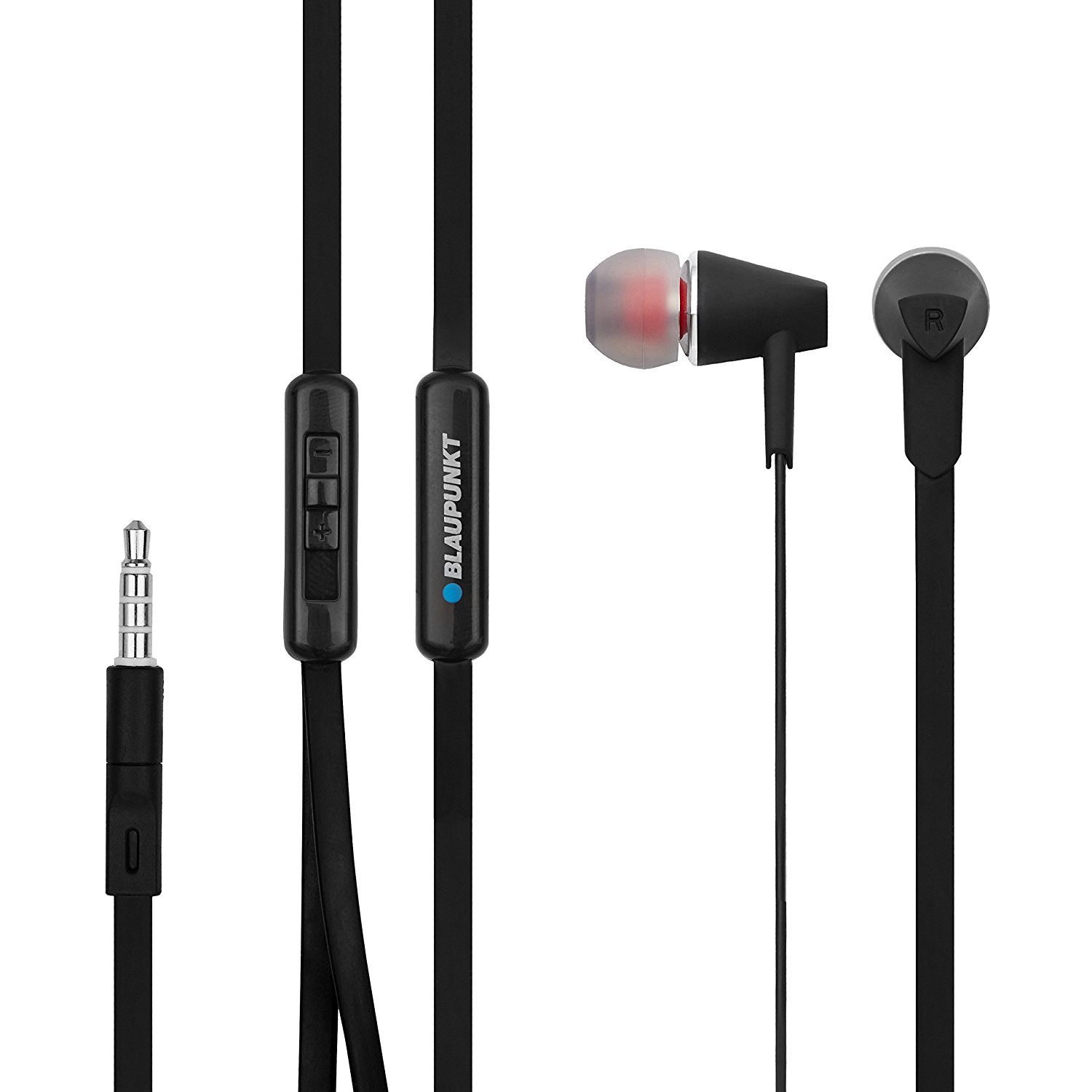
    The earphones have been my most used of the 3 products and I’ve been using them regularly when viewing Netflix and Amazon Video on my iPhone and Mi 4. The cable is flat in nature which lessens the chance of it getting tangled when stored and there is a mic with a play/pause button. There is also a separate volume slider at the Y junction that works independent of the device volume, but ensuring that it works on both Android and iDevices (or any other device for that matter). It was supplied with 3 different sized eartip pairs to enable better fitting for your ears. There is also a white colour available.

    As for the sound output, it has decent bass and mid range, but the top end is definitely lacking. This makes it quite good for voice calls and also video watching, but not necessarily for music. I compared it to the staple Apple earpods and my 4 year old Soundmagic E30 (around 3x the price of the Blaupunkt set, but without a mic) while listening to some of my favourite tracks. The Blaupunkt model easily best the earpods which is not a difficult feat, but falls well short of the Soundmagic model which has a different level of clarity thanks to the better treble output.

    Overall, the earphone should be a decent buy if you are going to use it for voice calls or video viewing and the flat cable and universal volume control adds to the value. However, if you primarily want to listen to music, there are better options in this price range.

  • Tamasha or Corsican Cheese

    Tamasha or Corsican Cheese

    Watched the movie in the night show yesterday and went in with my expectations low based on the feedback from my family and friends. The first half turned out to be pretty decent albeit composed of recycled Imtiaz Ali material, while the second half was definitely better than Rockstar. I’m really beginning to wonder whether we’re part of a really confused generation whose parents spent the better part of their lives to ensure a comfortable living for us for it to only give rise to a set of new problems. 3 Idiots was really onto something and seems to have been a trendsetter along the lines of HAHK & DDLJ. That said, the performances of the leading pair was pretty good.

    Nonetheless here go my customary observations:

    • They really used the iPhone to establish the movie timeline with the Corsica episode from 4-5 years ago featuring an iPhone 3G or thereabouts and the present jumping to the iPhone 5s & 6. I wonder whether Deepika Padukone had something to do with this given her handling of the iPhone in Piku.
    • Asterix in Corsica was the first thing that came to my mind when they showed the place label and within 5 minutes the heroine was referring to it as her inspiration to visit the place.
    • The movie is targeted squarely at my generation right from the way they depict the childhood scenes and pastimes, to the corporate life.
    • The Catch-22 book featured has a symbolistic charm of the yesteryears.
    • It’s a mini miracle of sorts to have a thriving library of the kind shown in the movie in the current times. Then again, something of the sort might exist in Delhi that I may not be aware of.
    • Quite a few sequences from the first half brought back memories of Jab We Met (it easily remains my favourite Imtiaz Ali movie and one of my all time favourites as well) but with the hero & heroine roles reversed.
  • iOS 9 on the original iPad mini & iPhone 5s

    iOS 9 on the original iPad mini & iPhone 5s

    I updated to iOS 9 on my iPad mini and iPhone 5s within the first week of launch, and been using it for nearly 2 weeks now. The update was a lot easier this time due to the space optimisations and I managed to do an OTA update on the iPhone unlike last time.

    iOS 9 comes with its share of tweaks and optimisations that are supposed to improve performance on older devices, but I haven’t noticed much difference in terms of performance on either device which is in line with the observations of others. That said a few games like Limbo that were crashing on startup on my iPad mini (even after device restarts) seem to be at least working now.

    While the iPhone 5s gets pretty much all the new features introduced in iOS 9 barring the ones that require special hardware, the iPad mini is left out of practically all the marquee features like content blocking, Siri-Spotlight search improvements and all of the split screen features. That said the iPad keyboard is improved and sports the cut-copy-paste & undo-redo buttons and also supports the two finger cursor navigation gesture. iOS 9 also brings back the 4×4 grid of icons in folders on the iPad, so it is not a total lost cause.

    Battery life also seems to be in the same ballpark, though the iPhone seems to be exhibiting a slight improvement in the last few days. Of course that is hardly sufficient to last me a full day even with the new Low Power Mode. The additional details in the battery usage section of settings is also quite useful as it shows the screen on time and overall active time for each item as well.

    I also noticed that iPhone only apps when run on the iPad no longer show the top status bar as a part of the app, but leave it on the top of the screen. This is possibly a result of the split screen multitasking capabilities introduced in iOS 9.

    A gotcha to keep in mind on the iPhone is the Wifi assist feature (something that’s been on Android for a while) that’s on by default and tries to use the mobile network when the wifi is poor. This can easily burn through your data plan and is best left turned off on limited data plans.

    There are also some features like app slicing that are currently disabled due to glitches, but should improve the storage situation on all devices. This is one of the features I’m really looking forward to on my 16 GB iPhone.

    Overall, the experience has been quite good though the iPad mini is beginning to show its age. Pretty evident why Apple pulled the device off the market earlier this year. This year also marks a complete 64 bit transition for Apple’s entire device lineup starting from the iPod Touch to the iPad and Apple TV.

  • Upgrading to Windows 10 on a 4 year old laptop

    Upgrading to Windows 10
    Upgrading to Windows 10

    I finally bit the bullet and upgraded my 4 year old Acer Aspire 5750G laptop to Windows 10 from Windows 7 thanks to the free upgrade offer. I managed to wait for a couple of weeks after the release before pulling the plug. The machine is quite reasonably specced with a Core i5-2410M processor, 4 GB RAM, 1 TB HDD (upgraded from 500 GB) and the NVIDIA 540M GPU, and barring the slow hard disk is well equipped to run Windows 10.

    The upgrade process was itself quite painless – took a good amount of time to download on my 2 Mbps connection, but the installation itself took around 1.5 hours. There were a few updates including one for the touchpad, and they installed without much fuss either. I also updated the NVIDIA graphics drivers to the Windows 10 version.

    The OS itself is quite easy to use and I find the interface an improvement over Windows 7 and agree with my most read reviewers. Compared to Windows 8\8.1 that I’ve used intermittently over the last few years, the experience is definitely a marked improvement particularly on laptops.

    The overall experience is pretty much as it was in Windows 7 for me as there are not that many useful Windows Store apps yet, and the laptop is without a touchscreen to make use of full screen apps. The improvements to Explorer, Task Manager and rest of the OS are of course welcome, but would definitely have not been a compelling reason to upgrade were it not free. Cortana has unfortunately not yet released for India, and some of the newer security features require newer hardware.

    Having used a MacBook Air for over a year and a half now, I do find some of the new features like multiple desktops quite useful but the experience is hampered by the poor touchpad. Then of course there is the HDD vs SSD performance chasm that puts a big dampener on the Windows usage. If you are eligible for an update, don’t hesitate to pull the trigger (unless you have some incompatible components of course). I’ve also signed up for the Insider builds for some more excitement and quicker access to new features.

    The next few months should be interesting with the touch versions of Office for Windows being released and the next generation of Intel processors showing up in devices. Maybe a compelling time for an update…

  • Bookniture: First impressions

    Bookniture was one of the more interesting non-electronic Kickstarter projects that I’ve ever backed. The concept is pretty simple but innovative – a small piece of furniture made of special paper that can be folded away like a book.

    Innovation
    Innovation

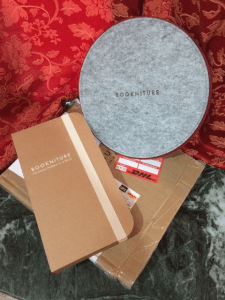
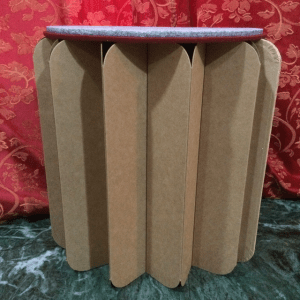
    I finally received the piece today and it is a very interesting item as expected. In terms of weight, it is about as heavy as a MacBook Air or your typical Ultrabook, and the piece feels really sturdy once setup. You just open and close it like a book and there’s a felt top to give you a flat surface on top. It supposedly supports a ton of weight too, so you can sit on it without any worries.

    As an origami enthusiast, it is quite nice to see something as innovative as this. There are a few kinks to the piece though. First is that the folds do not open out uniformly, and this is to be expected given the modus operandi. Still, it does give a sort of non-symmetric look. Secondly, the felt top could have used a bit of a smoother finish for the edges.

    That said, both are minor complaints and the whole piece feels quite nice to open and use. In fact, I’m typing this out with my laptop perched on top of my Bookniture at this very moment. Check out the gallery below for images and if you want to get one for yourself, just head over to their site.