That’s quite a distinguished list…
Author: Aditya
-
So you want to buy a DSLR?
It’s been over 3 years since I got a DSLR, and 4 lenses, tons of book and a bunch of accessories (and overall expenses just a bit south of Rs 2L) later here’s my take on whether you should get a DSLR (yes, whether) and what you should start with if you decide to take the plunge.
First things first
A lot of it depends on your budget – not just the initial amount but also the amount you will be spending (or be tempted to) after you have taken the plunge. The minimum amount you will have to spend to start off will be in the Rs 25 – 30K range (unless you bag a second hand deal) and this will net you a starting DSLR body plus a kit lens. However, if you really want a decent starting combo then be prepared to invest at least Rs 40-50K. If you have a lot of money burning a hole in your pocket, then the good news is that you can easily spend over Rs 1.5 lakh and get a pro level kit and have the option of spending lots more in the future as well. Then again, I doubt that you would be reading my post if that were the case. As for your options, I’ll come to that in a bit after I’ve covered my second point.
The Second thing (or the first thing actually) – Why do you want a DSLR?
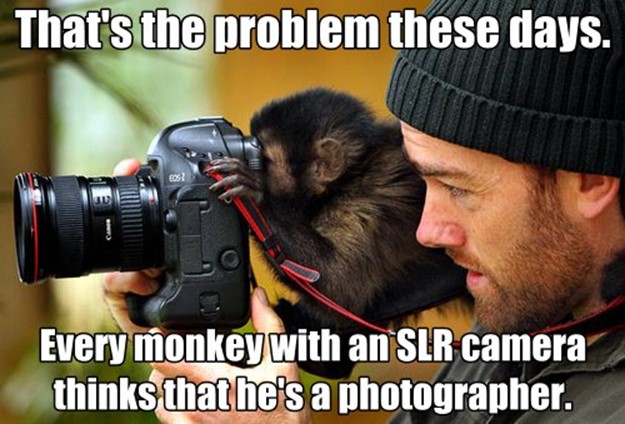
If you are thinking of taking the plunge solely for better photographs, then think again. Most mid-range Point & Shoot cameras give pretty decent images these days and will cost you half to a third of the starting DSLR option. Plus, they are a lot more convenient to carry around and the ultra-zoom models (we’re in the 50X+ zoom range now and they’ll cost you about as much as a starting DSLR kit) will easily outrange your starting DSLR kits. In fact, you will need to spend upwards of Rs 1 lakh to match the range of even a 20X ultra zoom P&S.

If you really want to spend Rs 30K on a new camera for better quality photos, take a close look at the Sony RX100. It has a pretty high resolution large sensor for a Point & Shoot which will give you near DSLR quality images (should match the quality of 5-6 year old DSLRs easily) in a pocket friendly form factor. Plus, it uses a Carl Zeiss lens with a pretty good range (28-100mm), something that will require you to spend 10-15K more on a starting DSLR kit. The camera also has an amazing burst rate of 10 fps that rivals the top end pro DSLR models.
The second generation model of the RX100 is also out and it costs almost 50% more, but gets you a tiltable screen and a better sensor among other improvements. For more compact options with larger than usual sensors, you can also check out the Canon PowerShot S series.

Another option to explore, particularly if you have an old smartphone (or none at all) is the Nokia Lumia 1020 with its large 41 MP sensor that enables lossless zooming and excellent low light capabilities. It is hands down the best camera smartphone around and gives mid-range P&S cameras a run for their money. This will not just enable you to take better photos, but it will also be with you all the time so that you can capture all those moments that you’d miss with a dedicated camera. Plus, you can edit the photos directly on your phone, back them up online and even share them easily through online services and social networks.
The above two options also mean that you will save a lot of money in the long term and not lose out on much on the photo quality front. Think about them long and hard…
Nothing doing, I really want a DSLR
Well, that was pretty quick, but it is always good to know your options and rationale before taking the plunge. So, why should you get a DSLR? Better image quality is just one part of the equation, and this too is mostly applicable to low light scenarios. What else do you get? Better control over the images you take for one, though this is partly covered by advanced settings available on many Point & Shoot cameras and also in Nokia’s Pro Camera app on its high end Lumia phones (plus similar apps on other smartphone platforms).
The real power (and real costs) of DSLRs is in their interchangeable lenses. They allow you to take photos in many different scenarios that would not be otherwise possible, like in low light without a flash in the case of wide aperture lenses, or from far far away like in the case of telephoto lenses used by wildlife and sports photographers (P&S may give you better range, but not the quality), or big picture scenarios possible through wide angle lenses (one area where Point & Shoot cameras are really lacking). Depending upon the lens the focus speed can also be blazingly fast (handy for action shots).
Then there is the whole new world of accessories like flashes, lights and filters that allow you to sculpt the kind of images you want to. Then there is also all the jargon that you will have to get used to (don’t worry, it takes a year or so), and also the constant gear temptation that you will have to put up with.
To put things in perspective on the gear and expenses front, the cheapest lens you can buy for a DSLR cost around Rs 6-7K and does not zoom (the nifty fifty, i.e. 50mm f/1.8). So, you are looking at investments (or splurges) in the 10s of Ks range at the bare minimum. Basically, buying a new lens will cost you as much as buying a decent entry level to mid-range Point & Shoot camera at the very least, and decent quality lenses will cost you as much as the good quality P&S like the Sony RX100 I had recommended earlier. As for the pro lenses, they run into the 6 figure range.
Another thing to keep in mind is that lenses don’t really come down in price unlike electronic items. In fact, their prices may even go up dramatically (10-20%) depending on supply and demand. You will also find that some of the lens designs are really old (10-15 years), and have not really come down in price. Plus, the second hand market and lens rental options are also pretty limited in India (rentals and second hand are two of the common suggestions on online forums). Of course, this is where having a bunch of DSLR touting friends comes in handy as you can share a bunch of gear among yourselves.
So, what should I get?
I’m going to give you some more time to think about what I have covered in this post, and cover the options in the second part of this series. Just be prepared to increase your budget to around Rs 40-50K, and ditch that kit lens.
-
Relook at Windows Phone 8 quirks after Amber
The good news is that the Bluetooth freezing issue seems to have been ironed out after the Amber update on my Lumia 720. Originally, the phone used to freeze upon disconnecting my Bluetooth headset, but after the Amber update the phone seems to behave normally (almost). The main quirk that I noticed is the screen responding erratically at times (culprit seems to be the Facebook app).
I had initially thought that the Bluetooth freeze had been replaced with this touch issue, but some troubleshooting last night seems to suggest otherwise. The touch issue that I have been facing is that the phone does not respond to screen taps. Turning the display off and then on seems to fix the issue, but it can occur again at random. It can be especially annoying when you try to receive calls and the phone ignores your tap on the answer button. This issue does not seem to be restricted to the Lumia 720, as my mother who has a Lumia 520 also faces a similar issue.
Also at times, the phone seems to go on a tapping spree of its own resulting in false taps akin to having a keyboard key stuck. I have faced this issue when entering the lock screen pin resulting in invalid entries, and also having emails deleted due to the phone deciding to tap on the delete button on its own. It seems that the region just above the home\Windows button has this issue. Again, a turning the screen off and then on seemed to fix the issue.
I had initially suspected the extra sensitive touch capability of the Lumia 720 causing the problem (the Lumia 520 has this feature as well), but since I’ve never enabled this feature I ruled it out as a cause. The main culprit seems to be the Facebook app, as I had it controlling my lock screen backgrounds (same as my mother’s Lumia 520). I uninstalled the Facebook app yesterday, and gave the phone some time to behave itself. Things seemed to be ok, and I went ahead and installed the app once more. Things seem to be ok so far.
A couple of other quirks that I noticed with the Facebook app is that the built in Windows Phone chat for Facebook messages seems to have connectivity issues with the app installed. It happily showed me as online after I uninstalled the Facebook app. Things were back to the “Can’t connect” state soon after I reinstalled the Facebook app. The other quirk was concerning the album list in the Facebook app lock screen setting. I had set the custom album option and selected a few albums from my album list. However, the album list was missing the newer albums and this got updated after the app reinstall.
Bottom-line seems to be that the Facebook app has some issues that seem to get sorted out on an app reinstall (different issues on different platforms going by my Android experience). So, if you have the Facebook app controlling your lock screen backgrounds and are facing issues like me, try a reinstall.
-
What do people in Silicon Valley plan to do once they hit 35 and are officially over the hill?
Silly question, but just take a look at the people who have answered, and you'll get a glimpse of what's amazing about Quora…
Since life in Silicon Valley ends at 35 unless you hit it big or move up in management (and simple logic tells you that most won't), I'm curious what people younger than this think they'll be doing at that age.
-
Amber (GDR2) update on the Nokia Lumia 720: First impressions
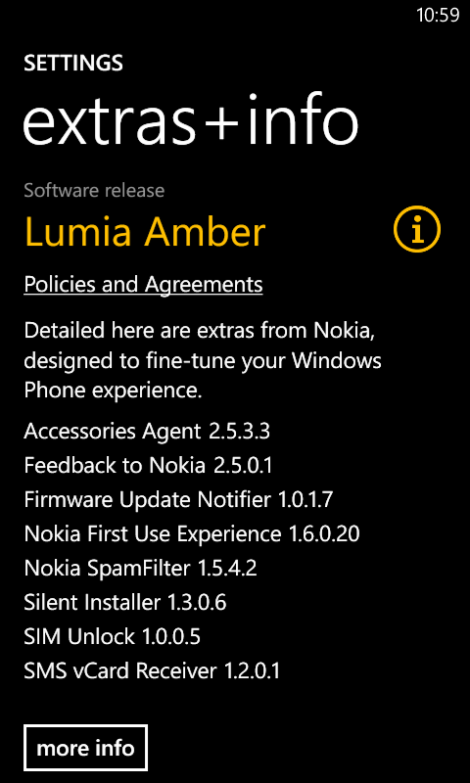
I finally got the Amber update for my Lumia 720 yesterday (check availability here), and it brings a few visible features like Data Sense (data usage monitor) and Glance (show clock when the phone is locked) along with some under the hood tweaks like Bluetooth LE support. On the whole, the experience doesn’t seem to have changed much, but the phone seems to respond to touches a bit oddly after performing certain operations like switching off Bluetooth and taking a screenshot.
The update process took about 45 minutes including the download, and in true Windows fashion, the phone restarted then did some data migration and prompted for another restart. iOS updates do take a similar amount of time, but there at least no restart prompts. One of the first things I did was use a workaround to install the Nokia Pro Cam and the Nokia Smart Camera on my phone. Instructions in brief:
1. Change your phone region to United States (Setting->Language+Region)
2. Connect to a WiFi network
3. Under Settings – WiFi, click on the WiFi network you are connected to
4. Switch ‘Proxy’ to on. Now type “117.135.139.179” into “Server/URL”. In “Port”, type in “8888”, then click on the tick at the bottom of the screen
7. Go to the Store and click on ‘Nokia Collection’
8. Download Nokia Pro Cam (after disabling the proxy)
9. Turn Proxy off, set your phone region back to normal, and Restart.
They seem to work without much of an issue and can even be set as the default camera app (they require you to enter the PIN though if you have one set, unlike the default camera app). The on screen controls do seem a tad small on the 4.3″ screen of the Lumia 720, but this should be tweaked once we have the official launch on the lower end devices (non PureView branded ones). There doesn’t seem to be any technical barriers for this.
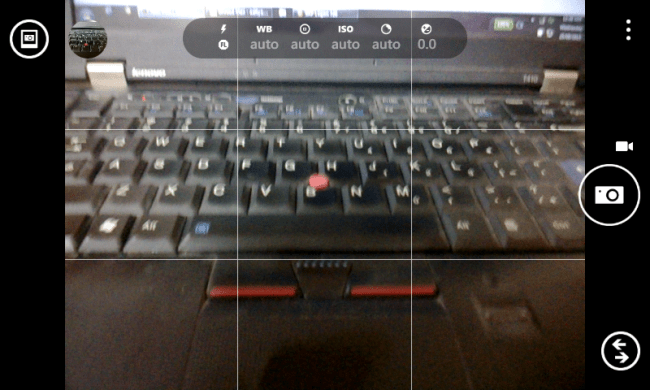
Nokia Pro Cam on the Lumia 720 As for Data Sense, it works as promised and the usage meter filled was up to date right from the initial configuration indicating that the underlying hooks were already in place before the update.
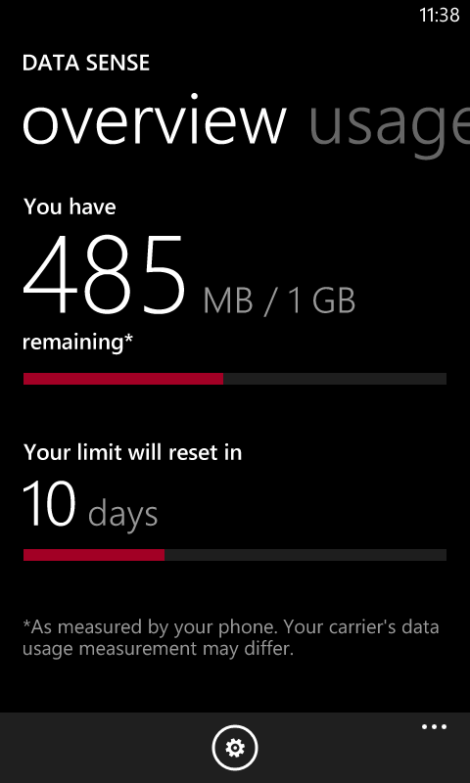
Data Sense My display on the first use also seemed to be a touch more saturated than before, and I tweaked it in the new Lumia Colour Profile option under the Display setting. A touch of warmth with neutral saturation seems to be my preference (having the crimson theme on a red Lumia 720 is probably the reason for the low saturation preference).
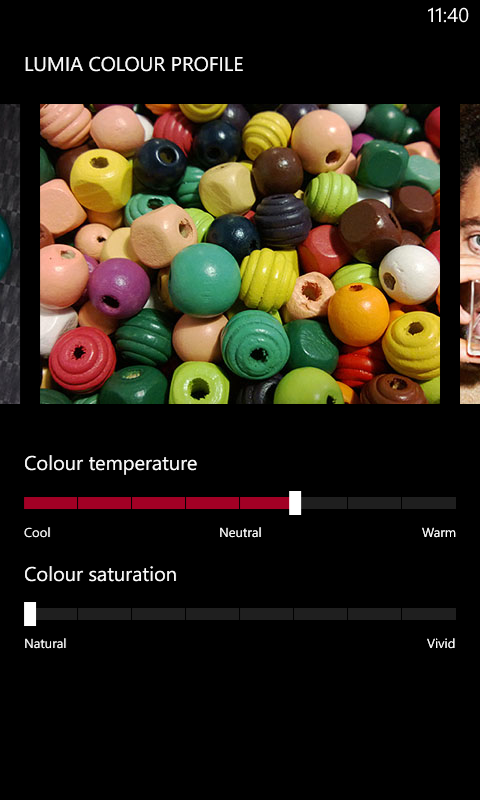
Lumia Colour Profile Let’s see if this solves the Bluetooth freeze issue I have been facing, or leads to any new ones.
-
What are some of the most profound jokes ever?
Begin with the end in mind…
Answer by Andrew Udell:
An American businessman was at the pier of a small coastal Mexican village when a small boat with just one fisherman docked. Inside the small boat were several large yellowfin tuna. The American complimented the Mexican on the quality of his fish and asked how long it took to catch them. The Mexican replied, that it only took a little while. The American then asked why didn't he stay out longer and catch more fish. The Mexican said he had enough to support his family's immediate needs.
The American then asked, "But what do you do with the rest of your time?"
The Mexican fisherman said, "I sleep late, fish a little, play with my children, take siesta with my wife Maria, stroll into the village each evening where I sip wine and play guitar with my amigos. I have a full and busy life, señor."
The American scoffed. "I am a Wharton MBA and could help you. You should spend more time fishing and with the proceeds, buy a bigger boat. With the proceeds from the bigger boat you could buy several boats. Eventually you would have a fleet of fishing boats. Instead of selling your catch to a middleman you would sell directly to the processor, eventually opening your own cannery. You would control the product, processing and distribution. You would need to leave this small coastal fishing village and move to Mexico City, then LA and eventually NYC where you will run your expanding enterprise."
The Mexican fisherman asked, "But señor, how long will this all take?"
To which the American replied, "Fifteen or twenty years."
"But what then, señor?"
The American laughed and said, "That's the best part. When the time is right you would announce an IPO and sell your company stock to the public and become very rich, you would make millions."
"Millions, señor? Then what?"
The American said, "Then you would retire. Move to a small coastal fishing village where you would sleep late, fish a little, play with your kids, take siesta with your wife, stroll to the village in the evenings where you could sip wine and play your guitar with your amigos."
-
What is the best advice a senior gave you at IIT?
Answer by Vinit Hase:
"Research! Change the world! Try your hardest not to do an MBA. Look at what it did to Chetan Bhagat"
This one was when one of my seniors was slightly inebriated:
"Don't just look for the person who pays you the most; you're not a prostitute!"
:p -
Thinking about the most forward thinking smartphone in the world
As with the “S” iPhone releases so far, the iPhone 5s continues the trend of looking practically the same as the previous version while making radical improvements under the hood. I have never had and iPhone of my own so far, but that should not stop me from sharing some thoughts on the new release:
- The A7 processor with its 64 bit architecture is undoubtedly the most forward thinking part of the launch. In 2 years, Apple’s entire mobile portfolio should be 64 bit, and 3-4 years from now, most iDevices will be 64 bit as well given the typical upgrade cycles.
- The A7 also probably sets the foundation stone for a possible move to Apple’s own SoC on their larger devices like the MacBook and iMac. The A7 is in touching distance of Intel’s new architecture for Atom, and 4-5 years of incremental updates should bring it up to the good enough mark. Of course, Intel would have pushed the performance envelope even further by then, but how much of that will be meaningful remains to be seen.
- It should be interesting to see what happens to the Apple TV going forward. It has the most modest of specs at present, and without an app platform there is no need for much improvements in performance. This is likely to change by the end of the year, or at most within the next year.
- The GPU is also interesting as it supports pretty high resolutions (well above 4K). Another point to think about for the Apple TV.
- Then, there is the M7 motion processor that is decoupled from the main SoC. This serves as a perfect test bed for whatever wearable device that Apple may be designing, but also indicates that there are likely to be A7 based devices without the M7 – iPads maybe or even a future Apple TV.
- Motion processors seem to be getting popular, and Google-Motorola arguably beat Apple to market in this regard with the Moto X. On the Android front, this is bound to bring in some efficiencies resulting in better battery life. And there is of course Google Now which is bound to start making greater use of such processors sooner rather than later (Kit Kat & Nexus 5?).
- The TouchID fingerprint sensor is likely to be just as radical, and I’d say a bigger feature than Siri. Initial usage feedback is pretty positive. Let’s see how it holds up in the longer term given that the 5s is supposed to be a future thinking device.
- The lower “s” of the 5s is also pretty forward thinking given that we’ll have a Galaxy S5 in 5-6 months.
- As for the Android copycats, we can be sure that the flagships of next year will feature 64 bit processors, motion processors, fingerprint sensors (S Finger a la S Voice?) and dual tone flashes. Hopefully they also get out of the megapixels race on the camera front and go for larger pixels (Windows Phone seems to have avoided it so far).
- iOS 7 also possibly indicates what a notification centre on Windows Phone would look like given the similar design language in many areas.
Update: Some very interesting thoughts by Cringely as well about Apple outmaneuvering Microsoft on the no compromises PC model:
Jump forward in time to a year from today. Here’s what I expect we’ll see. Go to your desk at work and, using Bluetooth and AirPlay, the iPhone 5S or 6 in your pocket will automatically link to your keyboard, mouse, and display. Processing and storage will be in your pocket and, to some extent, in the cloud. Your desktop will require only a generic display, keyboard, mouse, and some sort of AirPlay device, possibly an Apple TV that looks a lot like a Google ChromeCast.
-
iOS 7 on the iPad mini: First impressions
I managed to install iOS 7 on my iPad mini over the course of last night. Some initial thoughts on the experience so far :
- It’s a pretty large download at around 750 MB OTA.
- Lot of greetings in different languages once the device reboots & the setup begins.
- It is evident that iOS 7 is designed for Retina displays from the setup screen itself with the jagged fonts & display elements, and definitely increases the chances of a Retina iPad mini release this year as some reviewers have noted.
- The notifications finally make use of the larger display of the iPads.
- Quite a lot of animations, and it really taxes the hardware resulting in some choppiness at times. Seems to happen the most on the revamped task manager. This is bound to be a lot worse in the iPhone 4, which has the most dated hardware of the devices getting this update, and it’s pretty clear why Apple left out many features on the iPhone 4. I doubt the iPhone 4S will fare much better than the iPad mini or iPad 2 for that matter, as it has a higher resolution screen than either coupled with slower hardware.
- Speaking of the task manager, it is totally revamped, and totally resembles the Windows Phone task manager including a card for the home screen (which in turn was inspired by WebOS). The multi-finger gesture (4 finger+ upward swipe) to launch the task manager is still the same, but feels odd as the feature is full screen now.
- Flickr & Vimeo are now first class citizens of iOS, just like Facebook & Twitter.
- iPhone apps look a lot better now as they use the Retina assets and run only in the 2x mode. Definitely a big improvement on the looks front.
- Folders seem to have no app limits anymore and open up full screen. However they show only 9 apps at a time, which results in a lot of wasted space. Should’ve been 16 IMO.
- Auto app updates are finally here, but haven’t seen it in action yet due to the App Store behaving wonky at times possibly due to the load from the iOS 7 release – app updates seem to show up and disappear periodically.
- The title bar clock now has am\pm in small letters, and can change its colour depending on the app. E.g. Facebook makes it blue
Below are a few screenshots of the iOS 7 on my iPad mini.


