Tag: fitness

  • Dubai Diaries: Staying active via VR

    Dubai Diaries: Staying active via VR

    The second device (the first was of course the gaming laptop that has been doing double duty as a GenAI device) that I purchased in Dubai after relocating in 2022 was the Meta Quest 2 VR headset.

    Picking it up towards the end of the year has its advantages as the apps and games are usually discounted due to the Christmas sales. In fact I got Beat Saber as a freebie with my purchase. This was the game that sent me down the Meta VR App store rabbit hole where I found a bunch of sports games like:

    There are also games for boxing, fishing, shooting, Star Wars (becoming Darth Vader’s apprentice) among others. They are a big departure from the typical computer, mobile or console gaming as they require you to move around and give you a decent workout.

    I also picked up some accessories like the hard case to store & transport the device in a safer manner, along with the head strap replacement. The head strap in particular is a big upgrade and almost necessary if you want to use the headset for even a moderate amount of time.

    Most have been around for several years now and have gotten a boost in terms of features & quality thanks to the renewed focus on AR & VR with the launch of the Apple Vision Pro and the Meta Quest 3 over the last year or so.

    Here’s my experience with some of these apps that have helped me stay more active, especially during the Dubai summers when it gets pretty difficult for outdoor activities. One thing to note is that most of these apps/games require some dedicated space – typically 6″ x 6″ – to play safely, though some can be played standing in one place.

    iB Cricket

    This game has been developed by a team from India, and you can see that they have done their share of partnerships with some of the mainstream cricket events over the years. It is mainly a batting simulator where you can play as a bunch of teams at varying difficulties and it also has multiplayer options & leagues if you like to compete against other players.

    They sell a bat accessory that can be used with the Quest 2 controller to give you an easier and more authentic experience. This was in fact something that I picked up during one of my India trips and it really makes the gameplay much better.

    VZFit

    This year, I also picked up a subscription to the VZFit app which can be used with an indoor bike to stay fit. By default they have a fitness experience that you can perform using just the controllers, but the virtual biking is what piqued my interest. The app allows you to bike around different locations in Google Maps using the Streetview images in an immersive form.

    Here’s a sample from one of my rides along the Colorado river:

    There are a bunch of user curated locations that can be quite scenic. Some even come with voiceover to direct your attention to places of interest. They also have regular challenges and leaderboards if you like to compete, and integration with a bunch of online radio stations to keep you entertained. You also have a trainer who can accompany you on a bike and guide you with the workout.

    You mainly need to connect a compatible bluetooth cadence sensor to your Quest headset so that it can detect the bike activity. As for the stationary bike, you can get your own or use one in the gym. I got the Joroto X2 spin bike which seems to be pretty good value. A battery powered clip-on fan can also be pretty handy to keep you cool and also simulate a breeze when you are virtually biking.

    Beat Saber

    Beat Saber is possibly one of the most well known VR games. After all, it’s not every day that you get to dual-wield something akin to light sabers and chop things up with a sound track to match.

    It is basically a virtual rhythm game that has been around for several years where you wield a pair of glowing sabers to cut through approaching blocks which are in sync with a song’s beats and notes. This can give you a really good workout as it also involves ducking and dodging in addition to the hand movements.

    Eleven Table Tennis

    Given the size of the Quest controllers and in hand feel similar to a TT bat, table tennis feels like a natural fit. This was one of the first sports games that I picked up on the Quest, and I have seen this game evolve within a few months of my purchase. Currently it has a host of options ranging from practice to multiplayer with different levels of difficulty.

    The multiplayer part is also pretty interesting and immersive as it can use your Meta avatar for the in game player. It also has voice chat so you can talk to your opponent. The in game Physics is also very realistic due to which you sometimes forget that there is no actual table in front of you.

    Vader Immortal Series

    This is a 3 episode game on the Quest, and doesn’t actually need you to move around as much as the other sports games that I have mentioned. However, if you are a Star Wars fan, this is pretty much a must try game as it gives you your fill of light saber fighting sequences starting a training involving with those mini floating droids and leading up to enemy fights standing beside Darth Vader.

    If you loved the Jedi Knight series on the computer or one of the recent Star Wars games involving Jedi, then this is pretty much a no brainer to try out. Oh, and you do get to use the force push/pull powers as well.

  • The Oura Ring

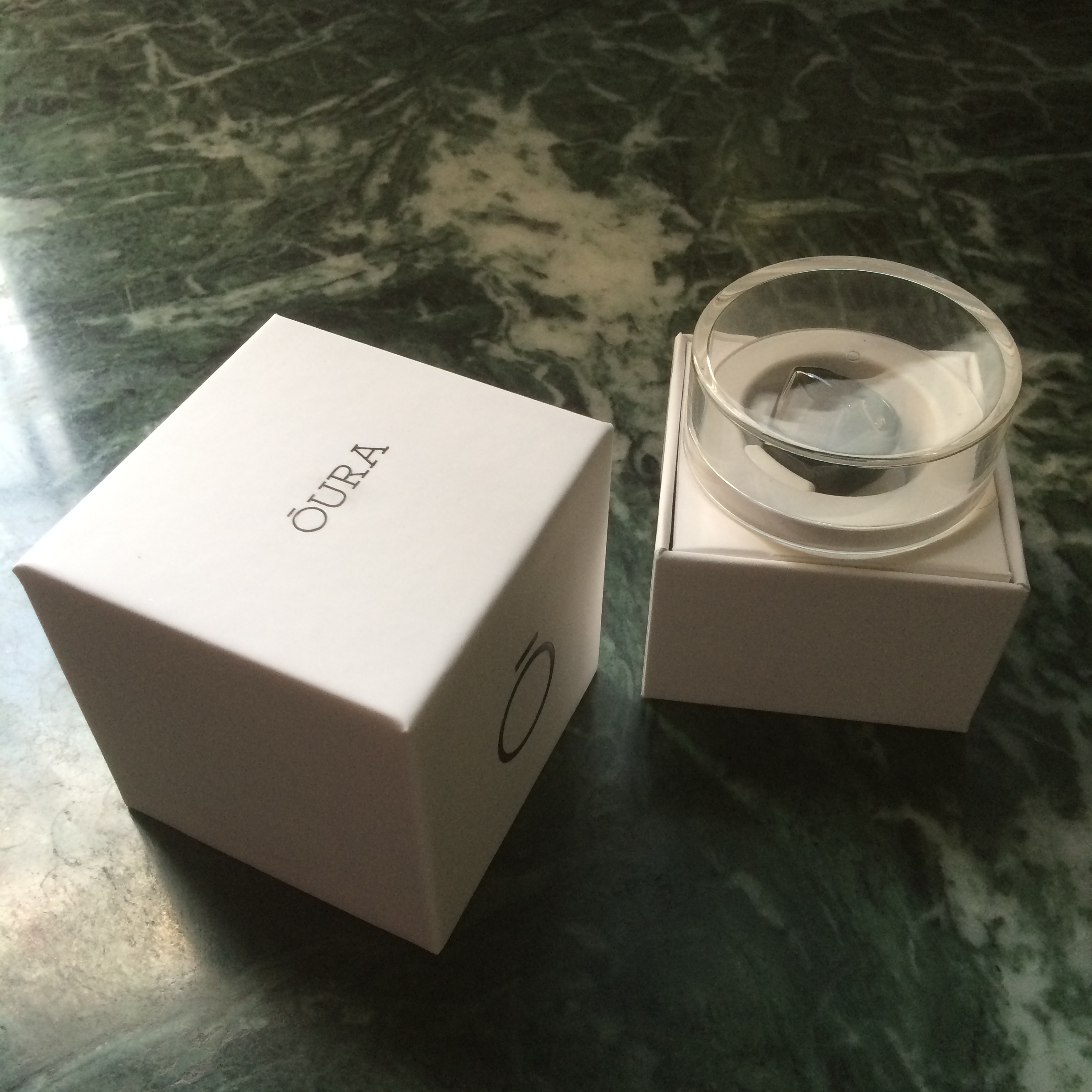
    oura-blackglossy-4331

    I got the Oura Ring through Kickstarter earlier this year and have been wearing it daily since then. This has been one of the gadgets that has drawn the attention of friends, colleagues and strangers alike. The Oura Ring is primarily a sleep tracker with a variety of sensors to measure your activities and sleep 24×7. It connects to its app your phone through bluetooth for daily insights and analysis. In short, it functions just like the typical wrist worn fitness tracker with a focus on sleep tracking, but in a much smaller form factor which makes it more comfortable to wear all the time.

    The ring is definitely a large one, and would not look out of place on Mogambo‘s fingers. That said, it doesn’t feel very heavy or uncomfortable to wear all the time if worn on the correct finger. The wife acceptance factor is also pretty low as I have found out over the last few months (I had to leave it behind during one of our family vacations), but it rarely fails to draw the attention of anyone seeing it for the first time.

    The ring is not exactly symmetric and due to this, fits more comfortably on either the index & middle finger of your left hand or the ring & little finger of your right. There are also small protrusions on the inner bottom side of the ring for the heart rate and body temperature sensors, but they are imperceptible when worn.

    20160511_124325856_ios

    I got the glossy black version and it has resisted scratches quite admirably though it can attract fingerprints. The completely waterproof nature of the rings ensures that it gets a regular cleaning every time you wash your hands or take a bath, so hygiene is taken care of unlike some smartwatches with straps that can’t be wet.

    The battery life of the ring has also been great, lasting 2-3 nights and worn all day long, depending primarily on how long I sleep. The ring charger is basically the case it came in with a micro-USB port for charging. When the battery reaches around 10-12%, the ring seems to stop recording any information. A full charge takes about an hour in this state.

    20160511_124706555_ios

    There have been quite a few firmware and app updates (about once a month) that have fixed bugs and tweaked how sensitive the ring is to activities. It also integrates with the Health app on iOS and sends the sleep data and resting heart rate every cycle.

    The ring is pretty much passive in nature with no display or direct interaction mechanism. It instead uses the phone app to sends notifications like low battery or time to stand up. However, it does detect when it is worn and can accordingly activate its tracking. There are also ways to activate an airplane mode and reset it through the app.

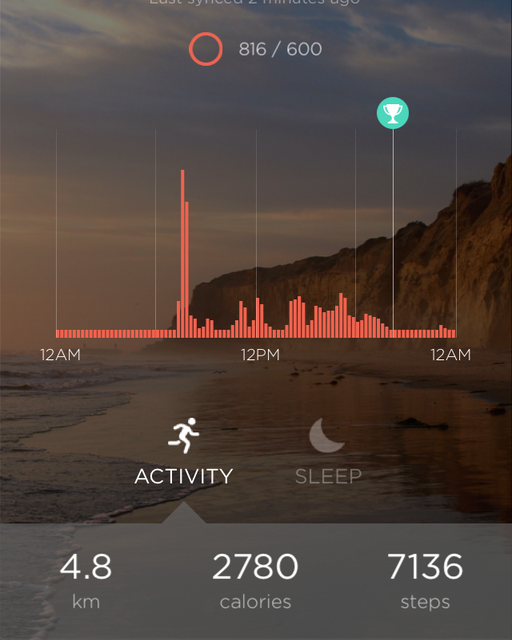
    Coming to its actual utility, I have found it to track my sleep quite well, though it is limited to one cycle a day. So, if you take a nap in the afternoon, it won’t show in the app, but it does track the info and seems to pass it on to the iOS Health app. For the sleep tracking, it detects the different phases of sleep – light, deep & REM – along with your resting heart rate and body temperature. It then gives a score to the sleep cycle and your overall readiness depending on a variety of factors, and provides a few suggestions for the day.

    497844f4c1c6e1bdb10073530a880020_original

    The ring gradually learns your the range of your typical vitals and adapts its analysis accordingly. For example, one night I was coming down with a fever and it was able to detect the elevated body temperature and higher than usual body temperature to give a basic diagnosis the next morning.

    I have found the ring to be quite useful to better understand my sleep patterns and the sources of disturbances in the cycle. There are however times when I have not been able to follow through on the suggestions given and at the end of the day a fitness tracker can only provide guidance but not enforcement for healthy habits.

    There are also some areas of improvement for the ring – tracking multiple sleep cycles in a day for one and passing on the wealth of information it captures to the Health app for another. The latter area is especially one where the ring seems to be capturing a lot of data points, but not exposing them directly to the end user.

    The Oura ring has turned out to be one of my most interesting backed projects on Kickstarter and it definitely is a precursor of things to come in the wearables and IoT space beyond today’s wrist worn devices. A hat tip to the Four short links post that led me to Oura.

  • Activity tracking with Misfit and Pebble Time: OneHandedReview

    It’s been over 2 weeks since I got my Pebble Time, and one of the main things I wanted to try with it was the activity tracking functionality. I’ve been using the Misfit app for this purpose for the last 2 weeks. I prefer to wear watches on my left hand as most right handed people do, but having my left arm in a sling has forced me to wear the device on my right hand. This has given me some interesting perspective on the way the app and device work.

    Step counting

    Brushing teeth can be really vigorous
    Brushing teeth can be really vigorous

    Wrist worn activity trackers do have some limitations particularly when it comes to step counting accuracy as elaborated in The Wirecutter fitness tracker recommendation, and my experience has been no different. I found that I was hitting the goal of 600 points (approx 6000 steps) just sitting at home with my arm in a sling, all thanks to the app failing to reject mundane activities like brushing teeth from the count. Granted that I was wearing the device on my dominant hand, but the iPhone 5s is a much better step counter in this regard. The whole purpose of using a wrist worn device rather than a smartphone for step counting is to cover those times when you don’t have your phone with you, but the accuracy in this case leaves a lot to be desired.

    Sleep tracking

    This is one area where the Misfit app seems to do quite well, particularly since the detection is automatic and you don’t have to worry about forgetting to switch to the sleep mode. Since the Pebble Time does not have any sensor to detect whether it is worn, there were times when I removed the Pebble from my wrist and the app thought that I was sleeping. These false activities can of course be deleted from the Misfit app on the phone. There were also times when I got up for a while and then decided to sleep in and the app handled these activities quite gracefully.

    I also did a mini experiment over the last couple of days by wearing the Pebble on my left hand which is bound in the sling at bedtime, and found that the awake periods came down significantly over my previous recordings using my right hand. I wonder whether it will make a difference if I put the Pebble in the pillow cover which should be a similar scenario as my sling bound arm.

    Conclusion

    The Misfit app for the Pebble is pretty decent overall and particularly good for sleep tracking. The battery life is also pretty decent at 3-4 days, when compared to dedicated fitness trackers and miles ahead of other smartwatches. However, if step counting is your primary objective or you want to use it with Android (only the iOS version of the Misfit app supports the Pebble), then look elsewhere. That said, I have found the app pretty useful though I plan to try out some of the other activity tracking apps for the Pebble like Jawbone, FitCat and Morpheuz.